
The status board for Healthcare & Social Services
InOutBoard is an online in/out status board where each staff member sets their own status and return time, so a charge nurse or supervisor can see who is on duty, on break, or out on a home visit. The right person, on the right shift, right now. See who's on duty, who's on break, and who's out on a home visit—across departments, floors, and field teams. No overhead pages, no hunting the halls.

Built for teams that move all day
-
See who's on duty right now
One board shows who's in, on break, in a consult, or gone for the day—with their contact info a click away.
-
Handle shift changes cleanly
Staff update their status as shifts start and end, so the next team can see who has checked in and who has checked out. A recurring event on their own My Calendar can update it for them automatically.
-
Check recorded staff statuses in an emergency
During a drill or evacuation, use the Emergency Status Report to review staff recorded as on-site and their contact details.
-
Cover caseworkers in the field
Caseworkers set a return time before a home visit. If it passes with no update, it turns red on the status board and their supervisor gets an email or text.
Shift change without the guesswork
Give incoming staff a shared view of recorded availability and coverage.
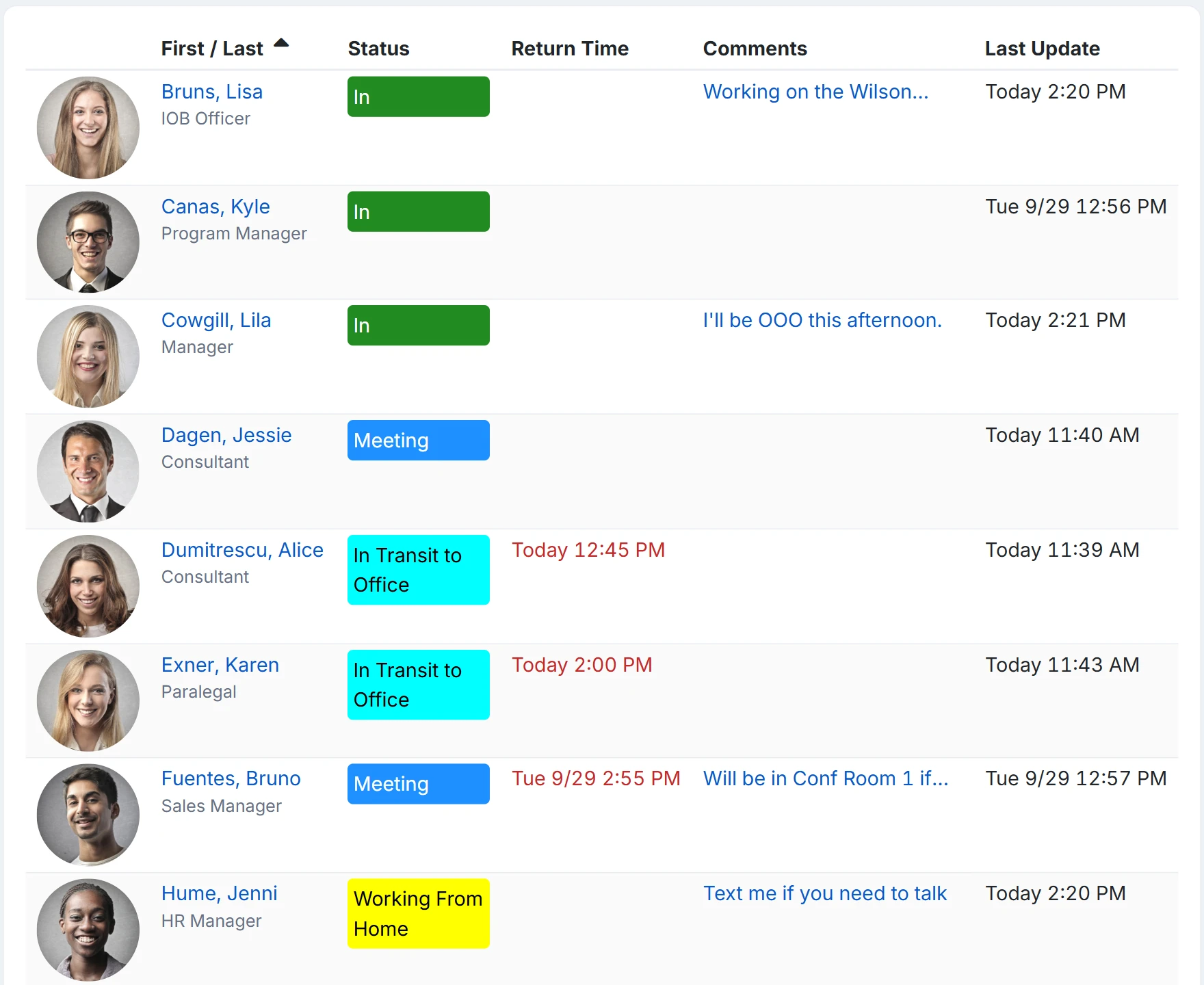
How a unit hands off a shift
- During setup, each unit becomes a location or department—Med-Surg, ICU, Intake, Facilities—so the status board can be sliced the way the building actually works.
- An Administrator adds the status codes the floor really uses: On duty, With a patient, On break, Off unit, Charting. Give On break an Offset By of 30 minutes so a break sets its own return, 30 minutes from now.
- Outgoing staff update their status and add a staffing note, such as who is covering their role or when they expect to return.
- The incoming charge nurse filters the status board to the unit and switches to List view. Who is on, who is on break, and who has already gone is one screen, refreshed on the interval each person picks.
- Click any name for phone and email. Administrators, and Managers for people at their own location, also see that person's status history, so they can review recorded status changes.
Status comments are visible to everyone on the status board—keep patient and client names and details out of them.
Is InOutBoard HIPAA compliant?
InOutBoard is a staff status board, not a clinical system, and we make no HIPAA claim for it. It holds staff names, statuses, return times, and comments, not patient records. Because every user can read every comment, keep patient names and details out of them. Our security page lists the controls (US Azure hosting, encryption in transit and at rest, annual PCI DSS validation) and answers the usual questionnaire items.
Can a shift schedule update statuses automatically?
Each person's own My Calendar can. A recurring shift event with a starting and ending status changes that person's status when the shift begins and ends, once an Administrator has turned on Allow Calendar Events to Change Status and Allow Future Status on the user. A shared company calendar does not change anyone's status.
Who can see status history?
Everyone except a Guest sees the current board. Administrators, and Managers for people at their own location, can also open a person's status history and run the Time History and Emergency Status reports; a Manager's reports cover their own location.
Where to go next
The pieces this page describes, in detail.
One board for every department
Hospitals, clinics, county social services, and home health teams rarely sit still. InOutBoard gives clinical staff, caseworkers, admin, and facilities one place to see where everyone is, with time and status history on record—without adding another system to learn.


What InOutBoard customers say
InOutBoard works great and very easy to use…from a safety standpoint, it's great to know quickly who's in the building and who isn't.
 Brenda S.
SIRWA
Brenda S.
SIRWA
Know who's in and out.
Instantly
Try every feature free for 30 days. No credit card required.