
Employee time & attendance reports: Time, attendance, and status history, exported to CSV
Easily generate reports on time and attendance and status history, filtered by person, dates, location or department depending on the report, and export any of them to CSV.
Less than 1 minute
Read the video transcript
Every time your team updates their status, InOutBoard keeps a record. Reports turn that record into answers when you need them.
Need to check hours before payroll? The time history report totals in, out, and PTO time for each person with no chasing down timesheets or piecing together spreadsheets. Filter by location, department, or person. Managers see their own location, and employees can pull their own time card and history anytime.
When something unexpected happens, every second counts. The emergency status report pulls up everyone’s last recorded status, their location, and their emergency contacts in one place, giving you a head start on roll call.
Export any report to CSV with one click, ready for payroll, grant reporting, or your records.
Thanks for watching. Sign up today and start your 30-day free trial with InOutBoard.
Stay connected to your team's time
The status board tracks the comings and goings—reports turn them into answers.
-
Time and attendance, done
The Time Card report totals each person's In hours, day by day. Time History lists every status change with its hours and totals them as In, Out, and PTO, and Time By Status Code totals them code by code—useful for reviewing attendance or checking hours ahead of payroll.
-
Know your team's activity
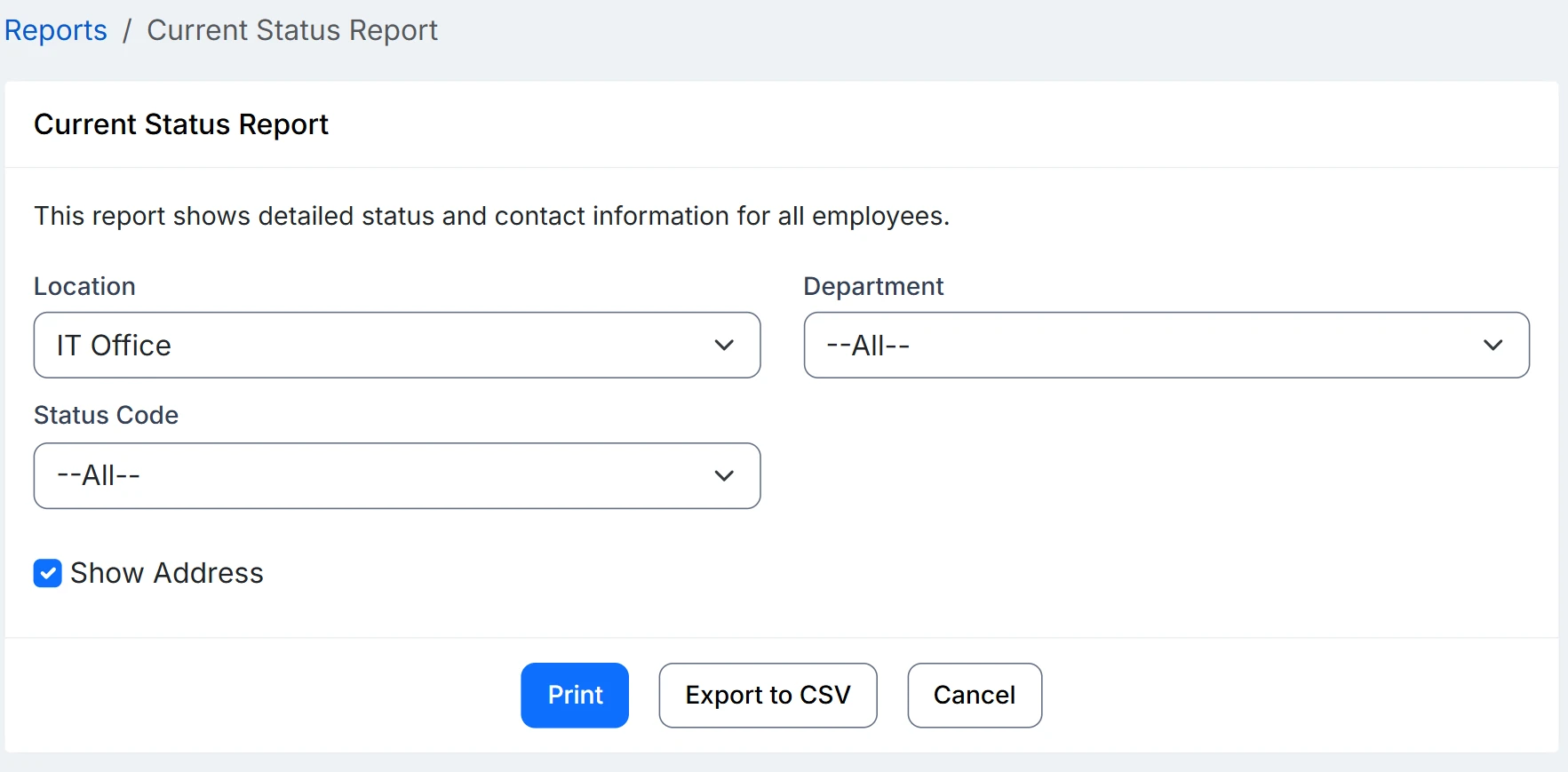
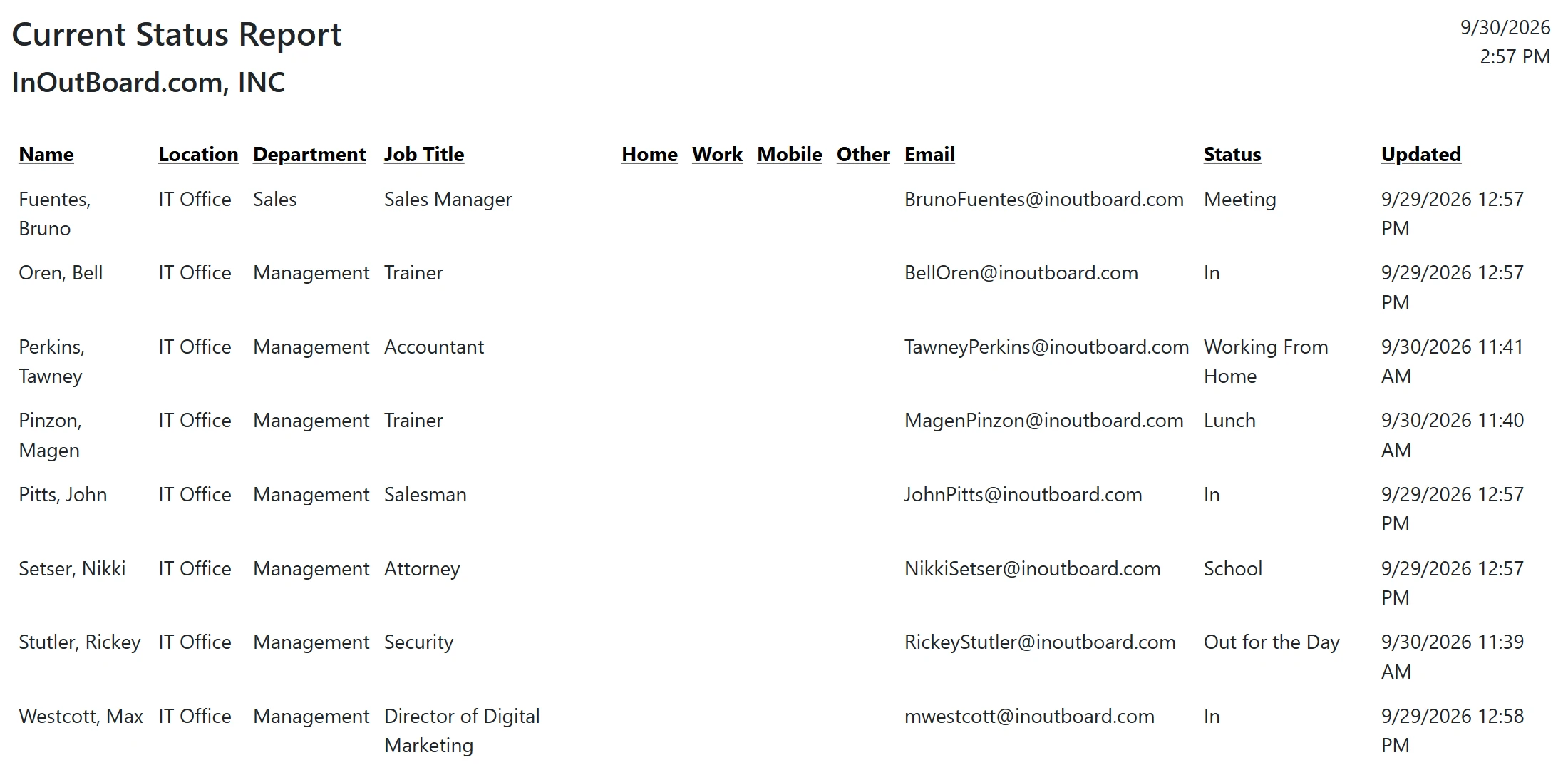
The Current Status and history reports show the day your team recorded. Administrators see every location; a Manager sees their own. Filter by location, department and status, and export to CSV.
-
Emergency-ready
The Emergency Status Report pulls each person's last recorded status and their emergency contact details onto one page—a starting point for a roll call, not a headcount of who is physically in the building. Using it for roll call covers what it does and does not replace.
Every report is a click away
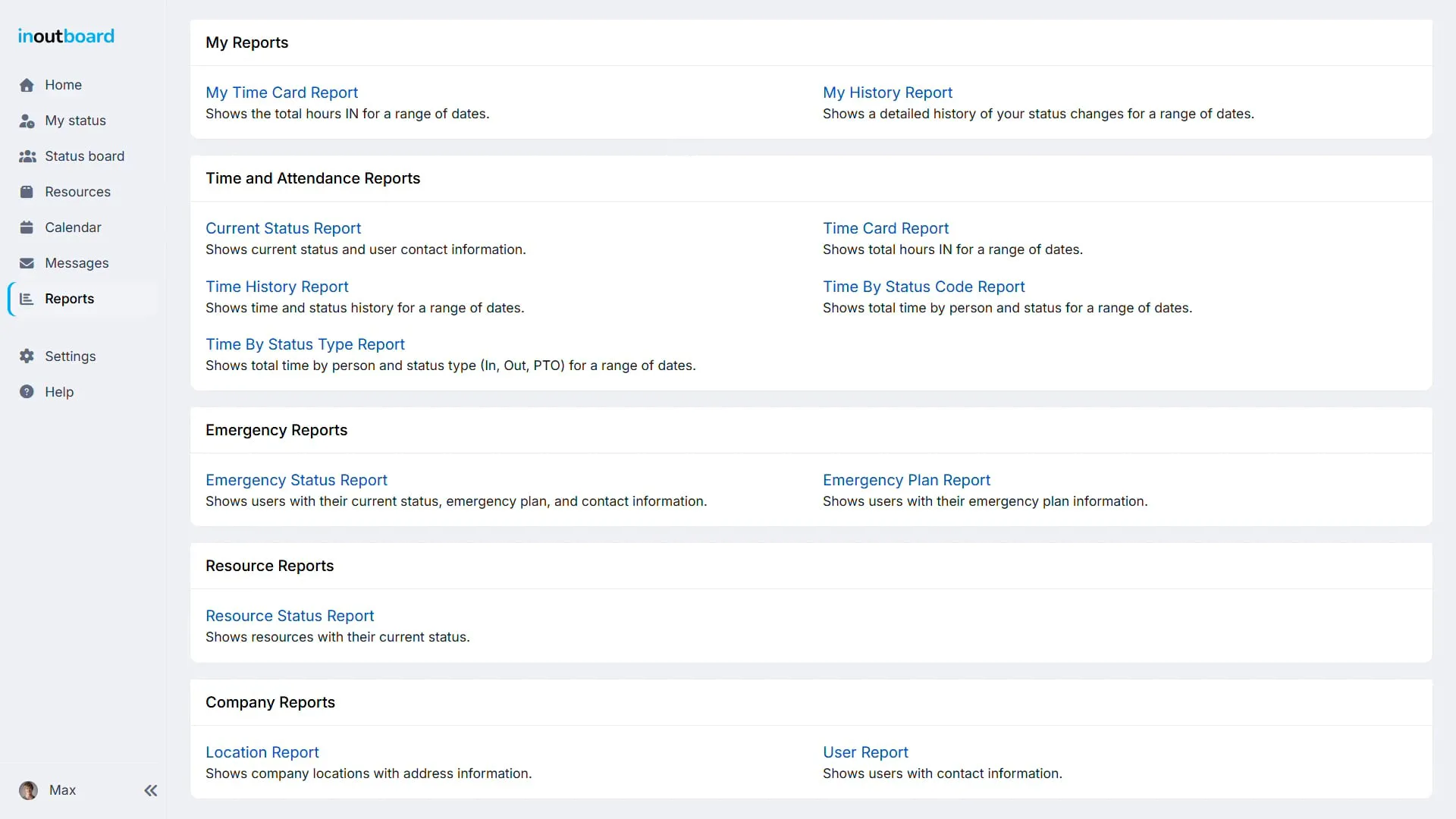
Every role except Guest can run their own two reports plus the Location Report, and the two resource reports when Resources is switched on. Time, attendance, emergency, and user reports are for Administrators and Managers—a Manager sees their own location, an Administrator sees them all. See the full list.
- My Time Card Report
- Time History Report
- Current Status Report
- Emergency Status Report
- My History Report
- Time Card Report
- Time By Status Code Report
- Time By Status Type Report
- Location Report
- Emergency Plan Report
- Resource Status Report
- Resource Status History Report
- User Report
Is this a time clock or payroll system?
No. People set their own status rather than clocking in, and InOutBoard keeps that history and totals it by status. There are no pay rates, overtime rules, or pay runs. Export the Time Card or Time History Report to CSV and your payroll system does the math.
Who can run which reports?
Administrators run every report for every user. Managers run the time, emergency, and user reports for their own location. Employees run their own My Time Card Report and My History Report, plus the Location Report and, when Resources is switched on, the Resource Status Report and Resource Status History Report. Guests run no reports.
Can I export a report?
Yes. Every report has an Export to CSV button, and the file opens in Excel or any spreadsheet. Reports can be printed as well: Print opens a print-ready copy in a new tab with the print dialog already open.
How far back does the history go?
Reports run on any date range of the history your account holds. Status history is kept for a limited period, stated on the security page with the rest of the retention and deletion rules, so export to CSV on your own schedule if you need it longer.
Explore more features
Everything below is included with every InOutBoard account — no add-ons, no upgrade tiers. See pricing.


Join the thousands of teams who rely on InOutBoard
I'm happy to say that I have had this job for 3 years and have never had to place a call into support…it's that easy to use.
 Paige M.
Dawson Power
Paige M.
Dawson Power
Know who's in and out.
Instantly
Try every feature free for 30 days. No credit card required.