
The status board for Nonprofit, Faith-Based & Community Organizations
InOutBoard is an online in/out status board where staff and volunteers set their own status and return time from a phone, so the office can see who is in today and report the hours a funder asks about. Less time tracking people. More time on your mission. See where your staff and volunteers are, log the hours your funders ask about, and do it on a budget that works for you.

Every dollar you don't spend here goes to your mission
-
Reports your funders will ask for
Pull staff and volunteer hours for grant reports, audits, and your board—without digging through paper sign-in sheets.
-
Know which volunteers are in
Volunteers come and go on their own schedules. The status board shows who's here today, so shifts and events stay covered.
-
Track people across sites
Staff at the office, volunteers in the field, board members, remote workers—everyone updates their own status from their phone.
-
Staff your programs and events
Put program sessions and events on a shared calendar; staff and volunteers who also put them on their own calendar have their status change automatically.
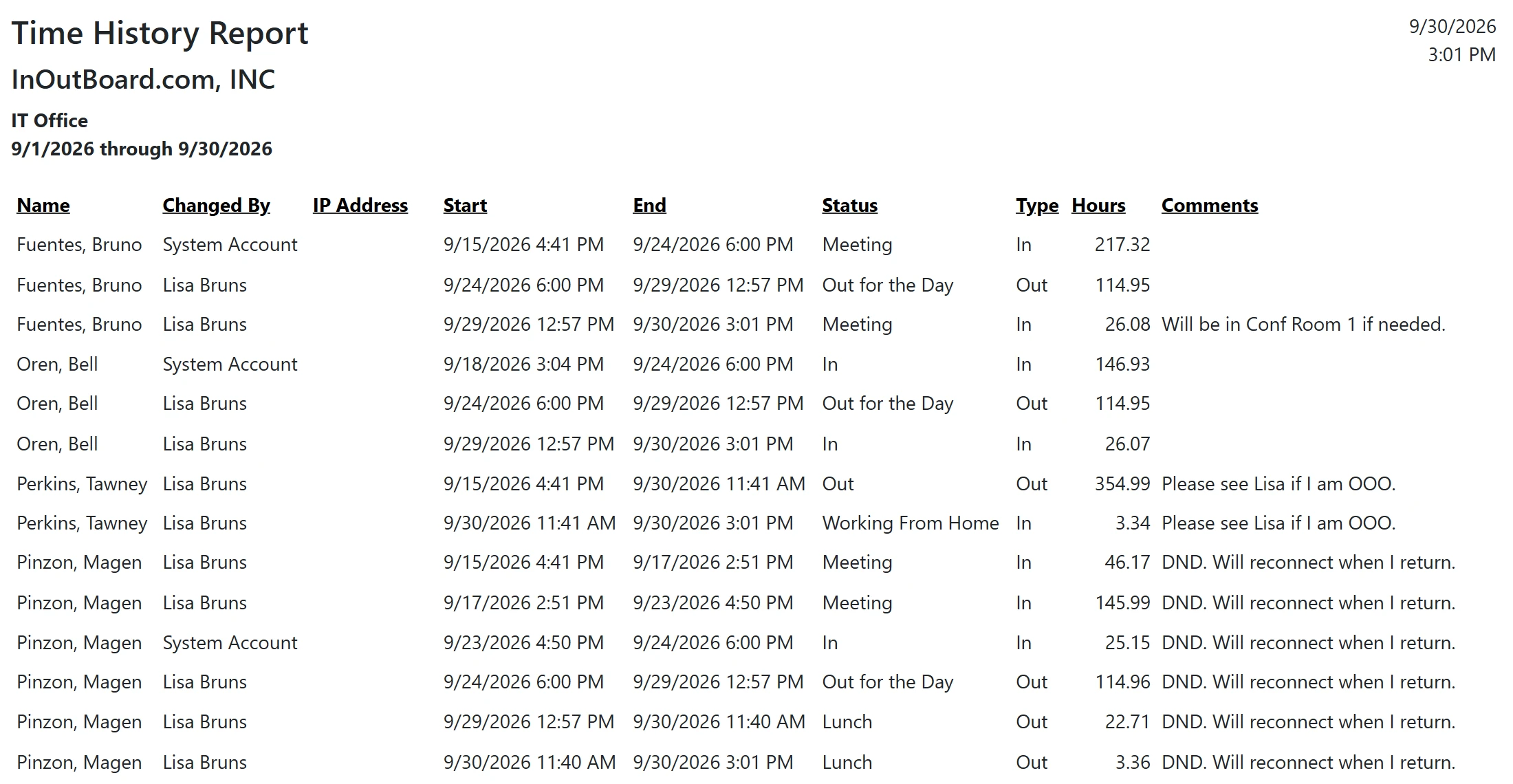
The hours your funders ask for, already counted
No paper sign-in sheets to reconcile the week the report is due.
How a grant report gets its numbers
- Each person's Department is set to Staff, Volunteer, or Board Member, so hours can be reported separately for each. The program or site someone is serving goes in the status comment, typed from a short list of names everyone uses the same way.
- Bring people in under Settings—one at a time when you are starting small, or the whole roster at once with Import Users and its CSV template. Usernames are typically just email addresses, so there is nothing new for a volunteer to memorize.
- An Administrator adds status codes that match the work: Program delivery, Outreach, Event, Admin, Remote.
- Everyone checks in from their own phone, so the status board shows who has checked in today and shifts stay covered.
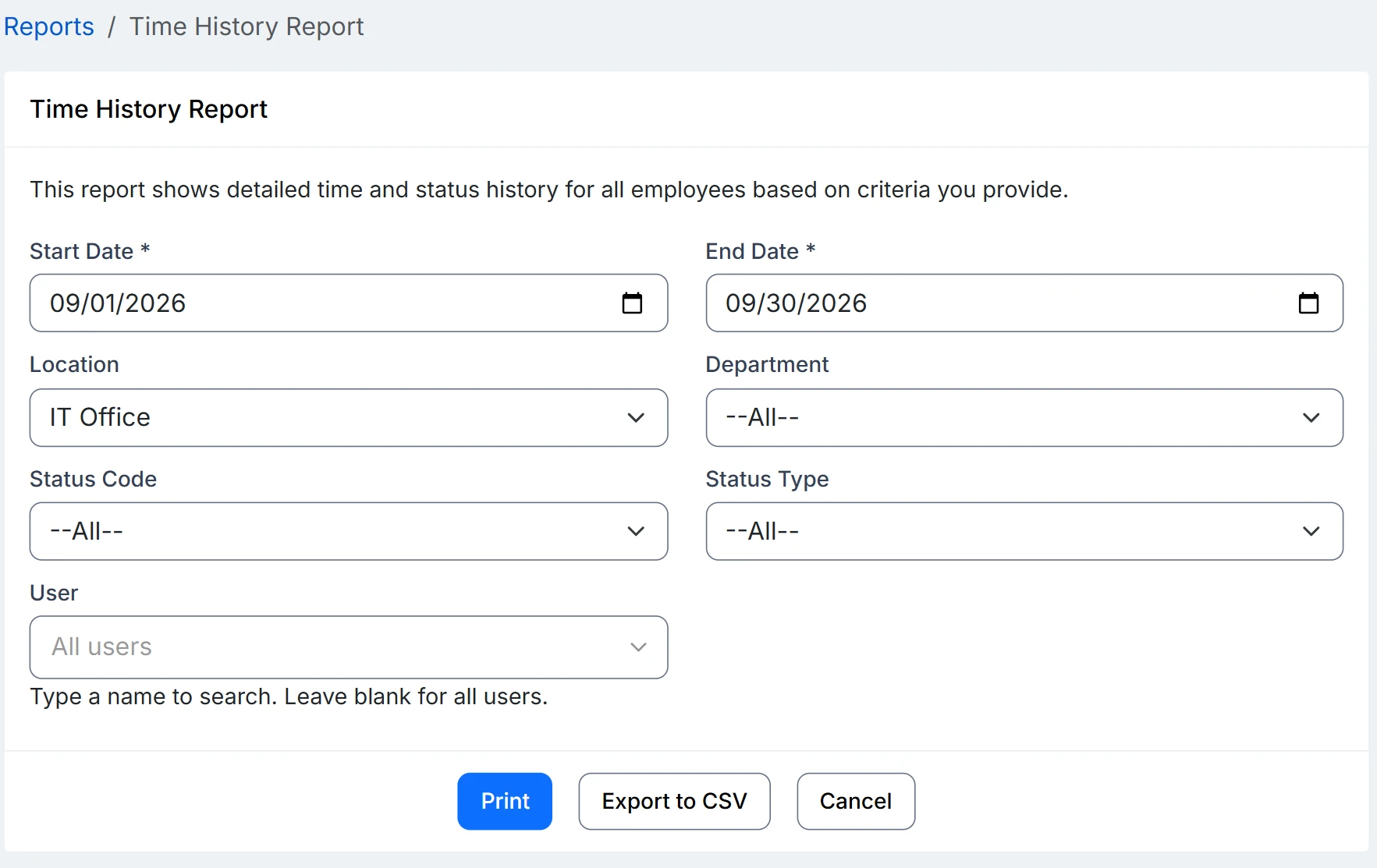
- When the report is due, run a Time History Report filtered by date range, location, and department. Totals come out in decimal hours, exported to CSV for the grant report or the board packet.
Do volunteers need a license?
Yes, one per active user in any role; volunteers who are not on the status board are not counted. Off-season volunteers can be set to Inactive and stop counting; reactivate them when they come back and their history is still there.
Can hours be reported by program?
By department, yes: set each person's Department to Staff, Volunteer, or Board Member, and the Time History Report totals hours for each, in decimal hours, exported to CSV. By program takes some care. A person's Location is their home base rather than the program they serve today, so the program or site goes in the status comment, and the export sorts by it only if everyone types the same names. Agree on a short list and share it. With only a few programs, a status code for each one (At the food pantry) avoids the typing, and the Time By Status Code report totals hours code by code.
Can we pay quarterly or by grant year?
Billing is monthly, quarterly, or annual, chosen by an Administrator under Settings → Payment Center; annual gets one month free, which fits a grant-year budget. Every feature is included at every license size, so there is nothing extra to budget for. See pricing.
Where to go next
The pieces this page describes, in detail.
Why InOutBoard?
No app to download, no complicated system to learn—just a simple web tool your staff and volunteers can open on any phone or computer. Flexible license counts scale as your organization changes, and off-season users can be set to inactive and reactivated when they return.
No hardware to buy, no installations, no per-site fees. Pay monthly, quarterly, or annually—annual billing gets a month free, which fits a grant-year budget.


Join the thousands of teams who rely on InOutBoard
InOutBoard works great and very easy to use…from a safety standpoint, it's great to know quickly who's in the building and who isn't.
 Brenda S.
SIRWA
Brenda S.
SIRWA
Know who's in and out.
Instantly
Try every feature free for 30 days. No credit card required.