
Team messaging: Say it once—reach everyone
Send quick updates to individuals or a whole team. Great for tracking calls and sharing project notes—without leaving InOutBoard.
Less than 1 minute
Read the video transcript
A call comes in for someone who’s out, the sticky note gets lost, and the message never reaches them. With InOutBoard Messages, that doesn’t happen.
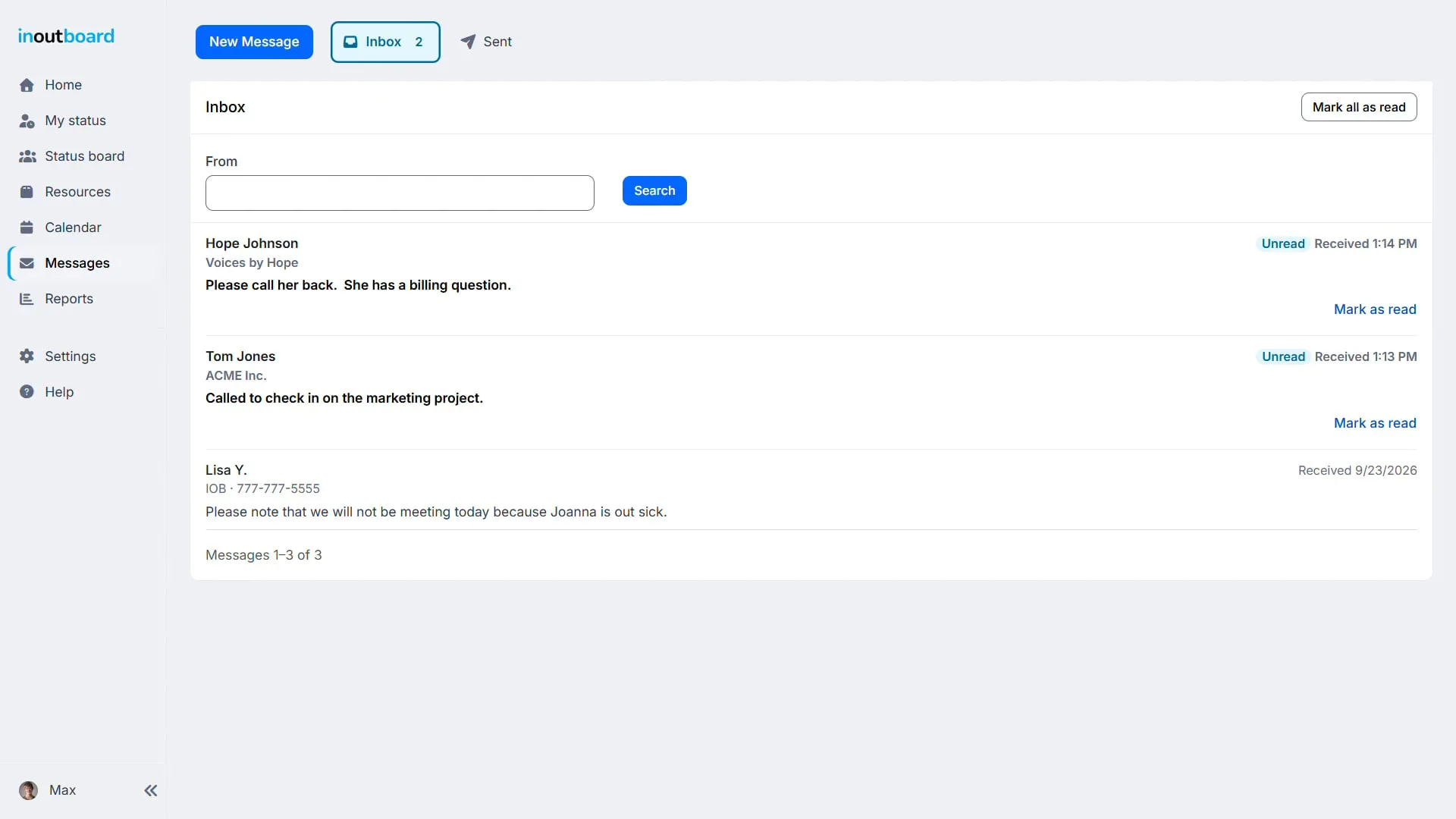
When someone’s away, the message waits in their inbox and on their dashboard, so it’s the first thing they see when they’re back.
Need to reach more than one person? Send to individuals, a whole team, or both. Say it once and everyone gets their own copy. Recipients are notified via email or text message.
Flag what’s urgent as high priority so it stands out.
With InOutBoard Messages, your notes, shift updates, and reminders all stay in the same place that your team checks every day.
Thanks for watching. Sign up today and start your 30-day free trial with InOutBoard.
Keep the whole team in the know
No extra chat app. No lost sticky notes. No “didn't you get my email?”
-
Message anyone on your team
Pick people by name, or pick a team your Administrator has set up, and everyone gets their own copy. Each one lands in the recipient's inbox and on their dashboard.
-
Never lose a phone message
Take a call for a coworker who's out? Log it as a message so it's waiting for them the moment they're back.
-
Keep a record
Project notes, shift updates, and reminders stay where you left them for three years, then are deleted automatically.
How messages actually work
A message is a short note that lives inside InOutBoard: a phone message taken at the front desk, a project note, a reminder to a team. Messages sit in two folders—Inbox and Sent—and each one also lands on the recipient's dashboard, so it is waiting on their Home screen. A Guest can read the messages sent to them but cannot send one.
Pick recipients by name, or pick a team and everyone in it gets their own copy. A message can also reach people by email or text, according to each recipient's own Alert Settings. Mark a message High priority and it stands out in the inbox.
What this is not. It is not a chat tool. Texts and emails sent out of InOutBoard are one-way notifications, which is why alert and message texts end with "(do not reply)". To answer, you open InOutBoard and send a message back.
Can people reply to a message by text?
No. Alerts and messages sent to a phone are one-way notifications—nothing reads a reply, and alert and message texts end with "(do not reply)". Replying means opening InOutBoard and sending a message back.
Is this a replacement for Teams or Slack?
No, and it is not trying to be. There are no channels, no threads and no live conversation. Messages are for notes that need to reach somebody who is out and be there when they get back—a phone message, a shift handover, a reminder—with a record kept.
Do recipients get an email or text automatically?
That is each recipient's own choice. A message always lands in their InOutBoard inbox and on their dashboard; whether it also goes out by email or text depends on the Alert Settings on their own profile, which they set once.
Can I message a whole team at once?
Yes. Pick individuals by name, a team your Administrator has set up, or both at once. Everyone addressed gets their own copy in their own inbox rather than a shared thread.
Are old messages deleted after a while?
Yes, after three years. Each message is deleted automatically three years after it was sent, read or not. You can also go into your Sent items, in Messages, and delete them there yourself, as long as the recipient has not opened them yet.
Small feature, big time-saver
- Send to individuals, to whole teams, or to both at once.
- Recipients are emailed or texted too, if they've switched those alerts on.
- Log phone calls so nothing slips through the cracks.
- Read and send messages from any device—desk or phone.
- Mark a message High priority and it stands out in their inbox.
- No extra chat app to install, license, or manage.
Explore more features
Everything below is included with every InOutBoard account — no add-ons, no upgrade tiers. See pricing.


Join the thousands of teams who rely on InOutBoard
The customer support turnaround time is great…nothing I hate more than having a question or problem only to have to fill out a support ticket and wait for someone to call me back…I don't have to do that with InOutBoard, they try to help asap and I like that!
 Leah B.
Cornerstone Insurance
Leah B.
Cornerstone Insurance
Know who's in and out.
Instantly
Try every feature free for 30 days. No credit card required.