
Mobile in/out board: Your board goes where you go
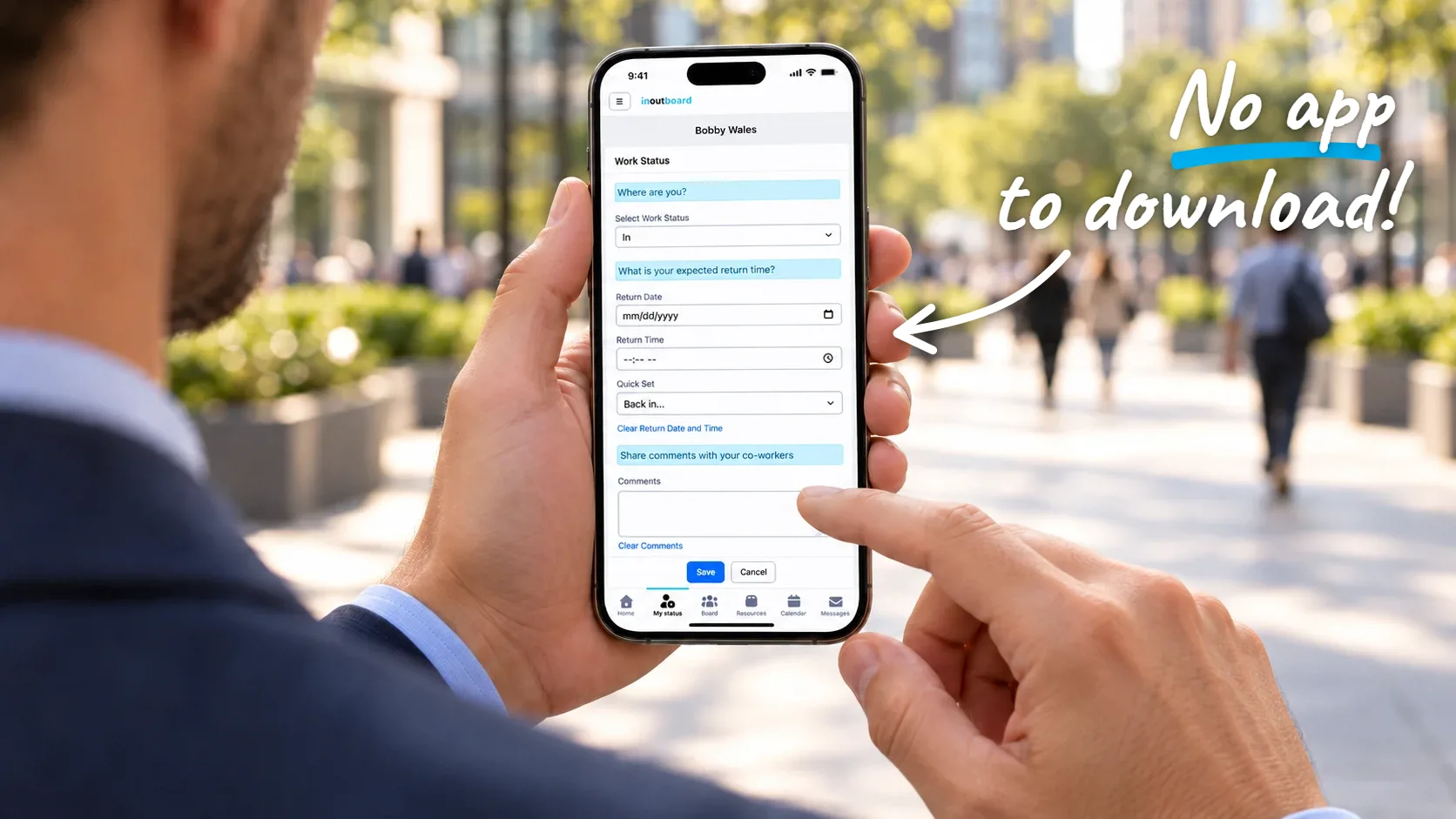
Use InOutBoard on any smartphone—nothing to download. Go to app.inoutboard.com in your browser, sign in, and everything is right there.
Less than 1 minute
Read the video transcript
Need to go out of the office? InOutBoard offers a seamless solution to being on the go.
InOutBoard runs right in your phone's browser. No need to download an app from the App Store. Just go to app.inoutboard.com and sign in. Our responsive web app gives you an app-like experience on any smartphone or tablet with an internet connection.
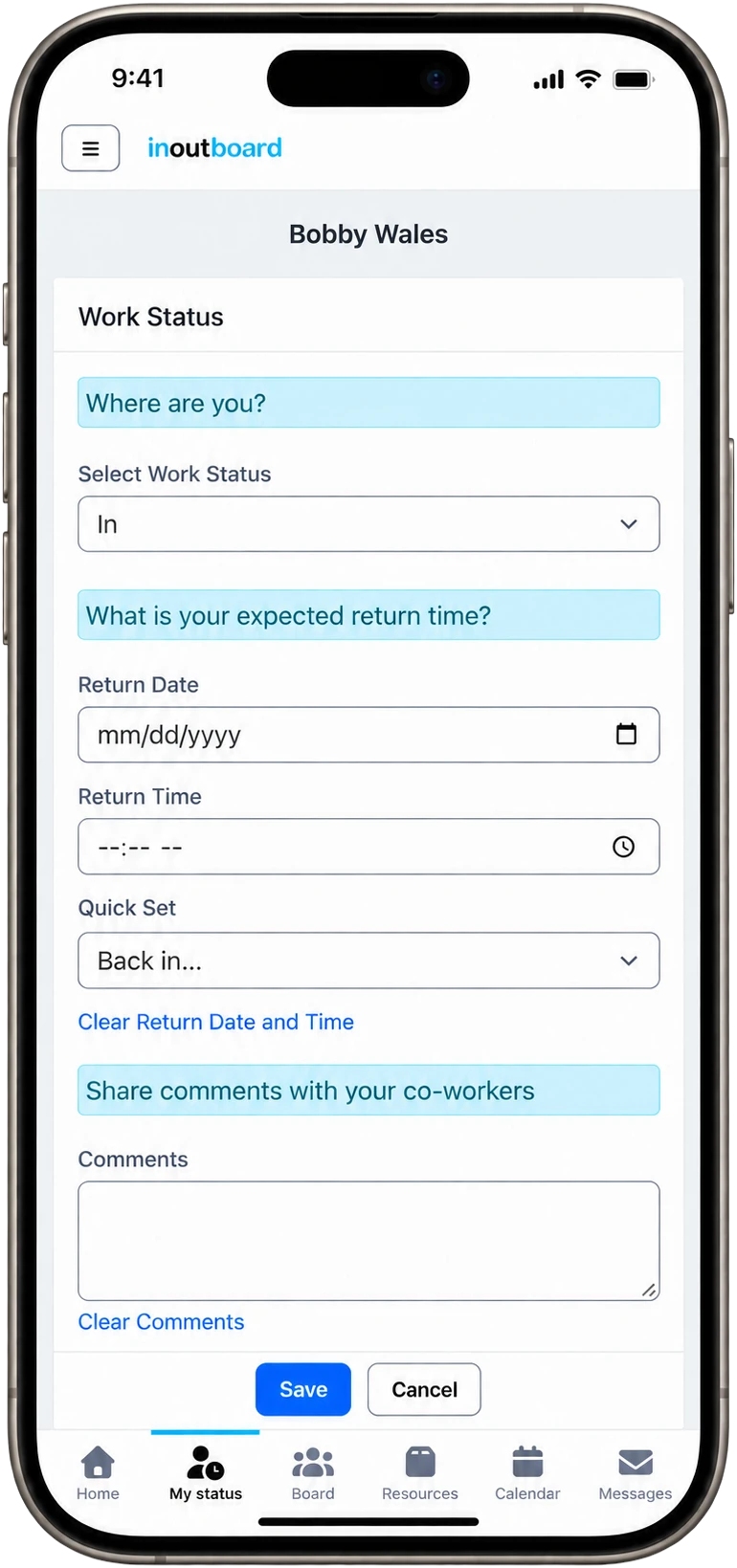
Update your status, return time, and a quick comment in seconds. Your update shows up on the office board right away, so your team always knows where you are.
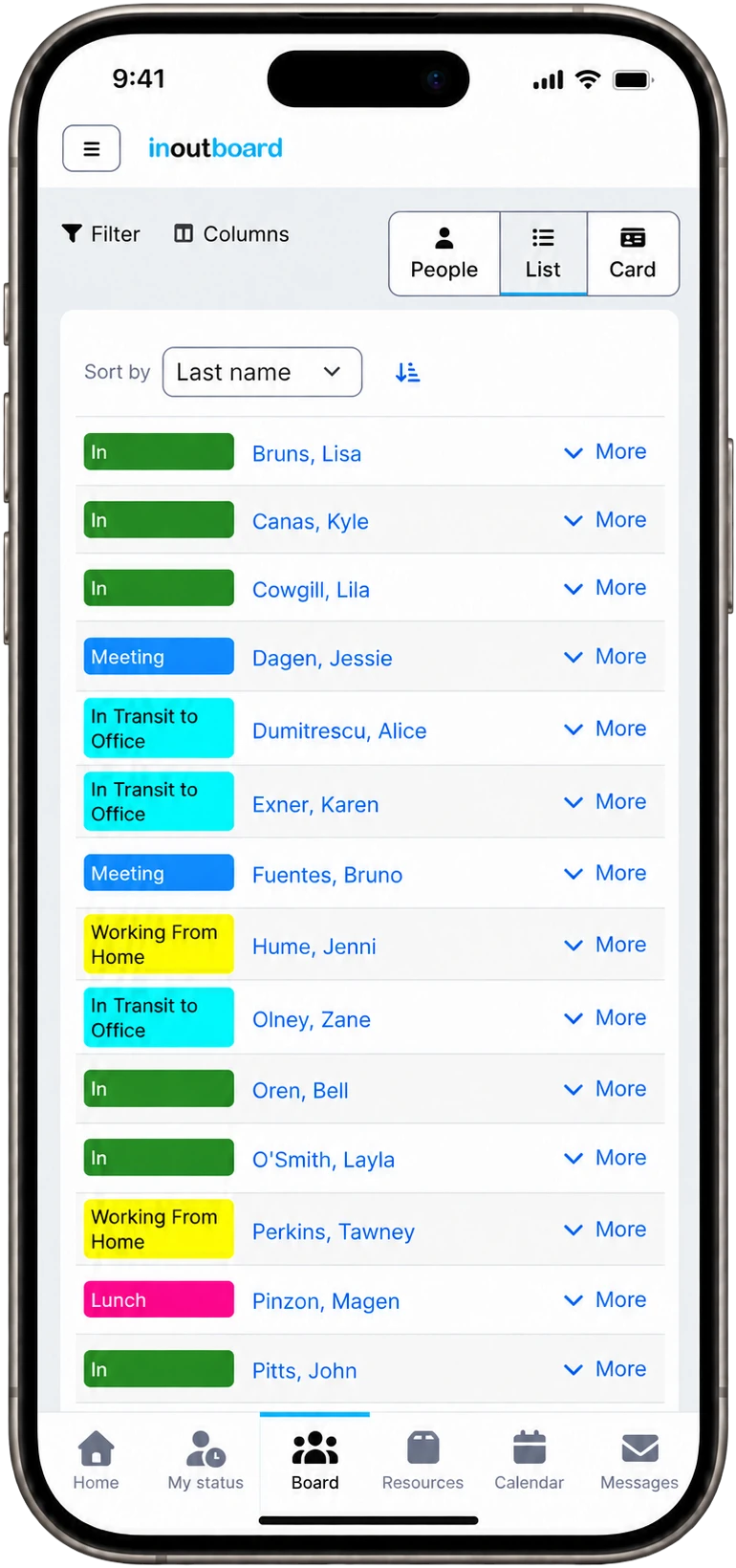
It's not a stripped-down version either. Check the board, read and send messages, view your calendar, and even book a room or vehicle, all with the same account and data as your desktop. Mobile access is included at no extra cost.
Thanks for watching. Sign up today and start your 30-day free trial with InOutBoard.
The full board, in your pocket
Not a stripped-down app—the same InOutBoard, sized for your phone.
-
No app store download
There is no InOutBoard app in the App Store or on Google Play, and none is needed. It runs in the browser on any phone or tablet—no updates to push, no IT tickets. Want it on your home screen? Install the InOutBoard web app, or follow the iPhone and Android setup steps.
-
Update on the go
Leaving a job site? Stuck in traffic? Change your status from your phone and it is on the status board for everyone the next time they look.
-
The full picture, anywhere
The status board, messages, and calendar all work on a phone—the same account and the same data as on a desk.
Made for teams on the move
On the device they already carry
- Works on iPhone and Android—any modern browser.
- Add it to your home screen and it opens like an app.
- Tablets and desktops too—one account, every device.
The whole board, wherever they are
- Check the status board, send messages, and book resources from anywhere.
- A status changed in the field is on the office board, not in a separate system.
- Nothing extra to buy—mobile access is included. An internet connection is required.
Is there an InOutBoard app for iPhone or Android?
No, and none is needed. InOutBoard runs in the browser on any phone or tablet at app.inoutboard.com. If you want an icon on your home screen, install it as a web app from the sign-in page; that is optional.
Does it use GPS or track my location?
No. Your status is whatever you set it to. There is no GPS, no location tracking, and no app running in the background on your phone.
Does it work offline?
No. An internet connection is needed to read the status board or change your status. On a phone, mobile data is enough.
Is the phone version missing anything?
Very little. It is the same InOutBoard laid out for a small screen: the status board, your dashboard, messages, calendar, resources, and reports, with the same account and the same data as on a desk. Two small things are left off a phone-sized screen: the Always clear comments option on your status page and the calendar's Print button. Use a computer or a tablet held sideways for those.
Explore more features
Everything below is included with every InOutBoard account — no add-ons, no upgrade tiers. See pricing.


Join the thousands of teams who rely on InOutBoard
I'm happy to say that I have had this job for 3 years and have never had to place a call into support…it's that easy to use.
 Paige M.
Dawson Power
Paige M.
Dawson Power
Know who's in and out.
Instantly
Try every feature free for 30 days. No credit card required.