
The status board for Real Estate & Property Management
InOutBoard is an online in/out status board where each agent, property manager, and technician sets their own status and return time from a phone, so the front desk and the broker can see who is at a showing and who is overdue back. Showings, site visits, and service calls—all on one board. Know which agents are at showings, which techs are on service calls, and who's in the office—without a single “where are you?” text.

For teams that live on the road
-
See the whole team's day
Agents at showings, property managers on inspections, maintenance on calls—one board shows it all.
-
Safety for solo showings
Agents set a return time before a showing. If they're overdue, their return time turns red and the broker or office manager on their profile gets an email or text.
-
Route calls and walk-ins
Reception sees who's in, who's out, and when they're back—so clients reach the right person the first time.
-
Schedule around real availability
Showings and inspections on an agent's own calendar change their status as they start and end—so the front desk always knows who's out.
Every showing gets an expected return time
A safety check that does not depend on anyone remembering to follow up.
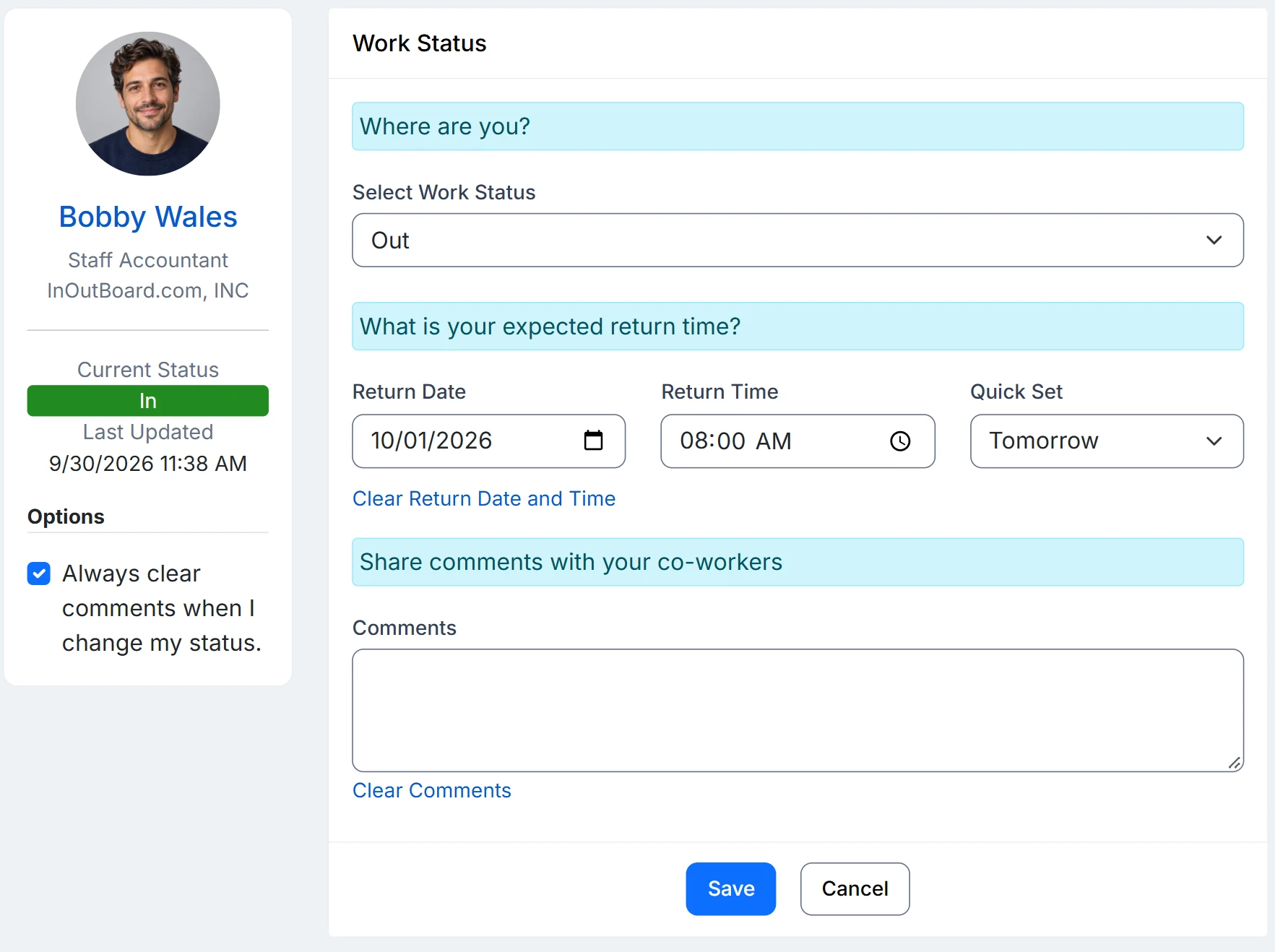
How a solo showing is covered
- An Administrator adds an At a showing code with Offset By set to ninety minutes. They also set Return Time Required to Yes on that code. The managers named on each agent’s profile are the ones alerted.
- The agent selects it from their phone outside the property, with a comment giving the address and a callback number.
- If the showing runs long, they push the return time out and the clock resets. If it lapses, it turns red on the status board for everyone to see, and the managers on their profile get an email or text—anywhere from 15 minutes to 3 hours after the return time, as you set it.
- Meanwhile the front desk works from the same board: who is out, who is back when, and a click for their mobile—so a caller gets a message taken rather than a voicemail.
- Showings, inspections, and cover go on a shared calendar the whole office can read. An agent who also puts one on their own My Calendar has their status change as that appointment starts and ends.
Overdue alerts need a few things in place: alerts enabled, a status code that requires a return time, a manager assigned on each user’s profile, and recipients opted in to email, or to text with a verified mobile number.
Is this a lone worker safety app?
It is a check-in, not a tracker. There is no GPS, no panic button, and no hardware. An agent picks At a showing with a return time; if it passes without an update, it goes red on the status board and the broker or office manager named on their profile is emailed or texted after the interval you set, 15 minutes to 3 hours later.
Can the showing come from the calendar?
Yes, from the agent's own My Calendar. An appointment there with a starting and ending status changes their status when it begins and ends, once an Administrator has switched on Allow Calendar Events to Change Status and Allow Future Status on the user. The shared office calendar shows the appointment to everyone but does not change anyone's status.
Do agents need to install an app?
No. InOutBoard runs in the phone's browser at app.inoutboard.com; adding it to the home screen so it opens like an app is optional. It needs a data connection to read or update the status board.
Where to go next
The pieces this page describes, in detail.
Out more than in
Between showings, inspections, and maintenance calls, most of your team is on the road all day. InOutBoard keeps the office and the field connected without the phone tag.


Join the thousands of teams who rely on InOutBoard
This has been such a huge upgrade from our previous process. The Status Board is up all the time, giving us real-time status updates from our employees. Easy to use too.
 Elizabeth C.
City of Santa Cruz
Elizabeth C.
City of Santa Cruz
Know who's in and out.
Instantly
Try every feature free for 30 days. No credit card required.