
The status board for Finance, Insurance & Legal Services
InOutBoard is an online in/out status board where each attorney, advisor, and adjuster sets their own status and return time, so reception can see who is in court or with a client, when they are back, and take a message if not. Client coverage, without the guesswork. Know who's at a closing, in a hearing, or with a client—so calls get answered and deadlines don't slip while people are out.

Built for firms that run on appointments
-
Route client calls the first time
Reception sees who's in, who's with a client, and who's back at 2:00—so callers reach a person, not a voicemail chain.
-
Cover for people in court and closings
Statuses show where people are and when they return, so colleagues can step in for a client with confidence.
-
Know when someone's overdue
Expected return times turn red when missed, so a long deposition or a hearing that runs over never catches the office off guard.
-
A record you can stand behind
Time and status history you can report on—useful for billing reviews and internal audits. Administrators can correct an entry when someone forgot to update.
Callers reach a person, not a voicemail chain
Reception always has a current answer, and a way to take the message if the answer is no.
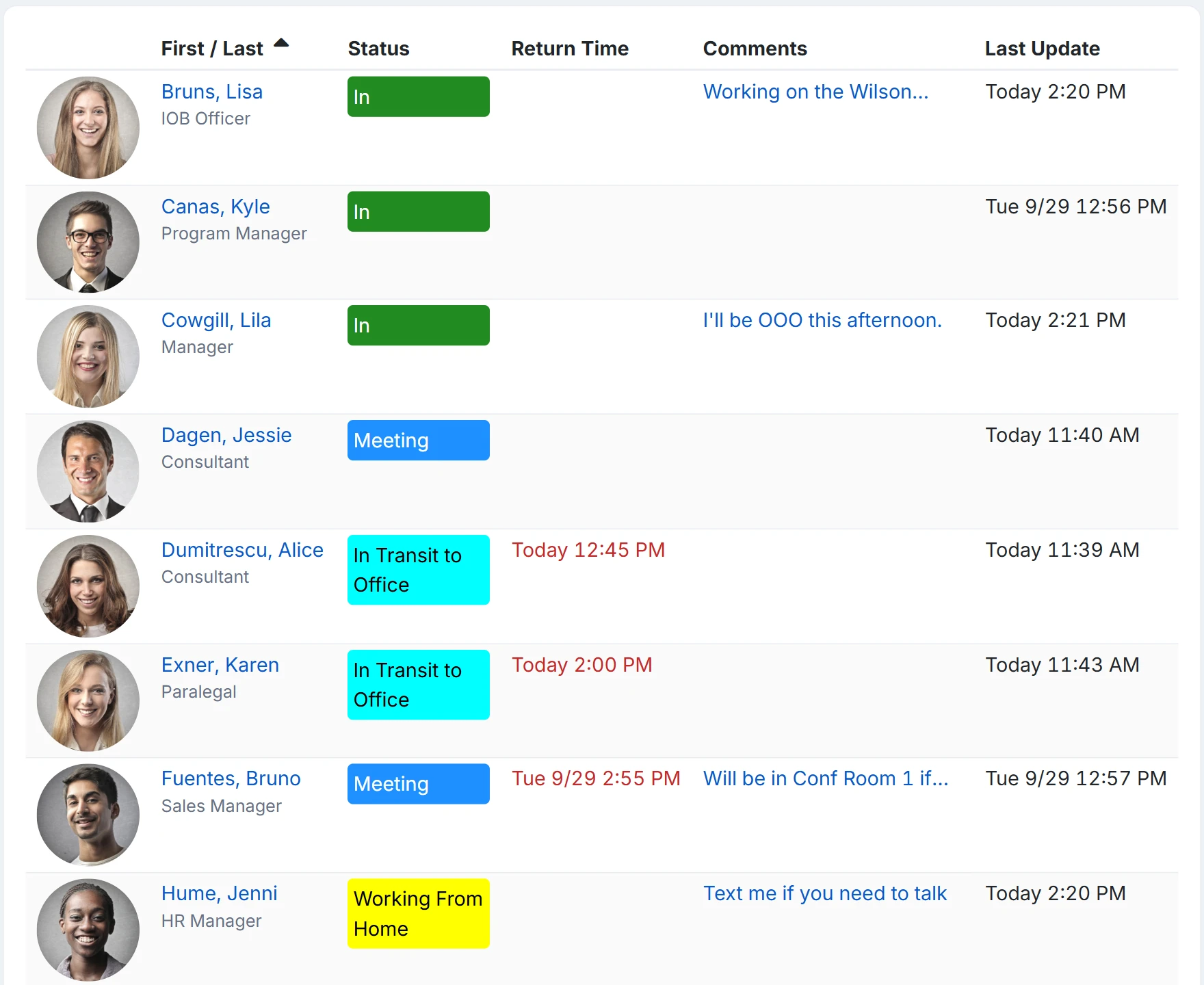
How a client call gets answered
- An Administrator adds status codes the firm lives by: With a client, In court, Closing, Deposition, Out of office. Where the slot is a known length, an Offset By fills the return in—30 minutes from now for a short call. When the expected return is a specific clock time, use Fixed Return Time—for example, 1:00 PM.
- Attorneys and advisors put hearings, closings, and travel on My Calendar, so their status changes at the start of the appointment without anyone touching it.
- Reception keeps the status board open, filtered to the office: who is in, who is with a client, and who is back at 2:00. Clicking a name shows their direct line and mobile.
- If the caller cannot wait, reception logs the call as a message—it is sitting on that person's dashboard the moment they are back, instead of on a sticky note.
- When a deposition overruns, the missed return time turns red on the status board, and the manager on that attorney's profile gets an email or text on the interval you set. Later, time and status history reports back up billing reviews and internal audits.
Overdue alerts need a few things in place: alerts enabled, a status code that requires a return time, a manager assigned on each user’s profile, and recipients opted in to email, or to text with a verified mobile number.
Can reception take a message for someone who is out?
Yes. A message goes to one or more users or to a team and waits on the recipient's dashboard, with a High priority flag for the urgent ones. Recipients who have email or text alerts turned on also get a copy that way, and a text is a one-way notification, not a conversation.
Is client information safe on the status board?
The status board holds names, statuses, return times, and comments, and every user in your account can read every comment, so keep client names and matter details out of them. Data is hosted in Microsoft Azure data centers in the United States and encrypted in transit and at rest; the security page lists the controls and answers the usual questionnaire items. Single sign-on and multi-factor authentication are not available yet.
Is it a billing or compliance system?
No. It records the status each person set and for how long, and the Time History and Time Card reports total that by person and date range for a billing review or an internal audit. It has no rates, matters, or compliance rules of its own.
Where to go next
The pieces this page describes, in detail.
Built for weeks that run on time
Accounting firms in busy season, law offices juggling court calendars, agencies with adjusters in the field—when your week runs on appointments, InOutBoard keeps the whole office on the same page.


Join the thousands of teams who rely on InOutBoard
The customer support turnaround time is great…nothing I hate more than having a question or problem only to have to fill out a support ticket and wait for someone to call me back…I don't have to do that with InOutBoard, they try to help asap and I like that!
 Leah B.
Cornerstone Insurance
Leah B.
Cornerstone Insurance
Know who's in and out.
Instantly
Try every feature free for 30 days. No credit card required.