
The status board for Consulting & Professional Services
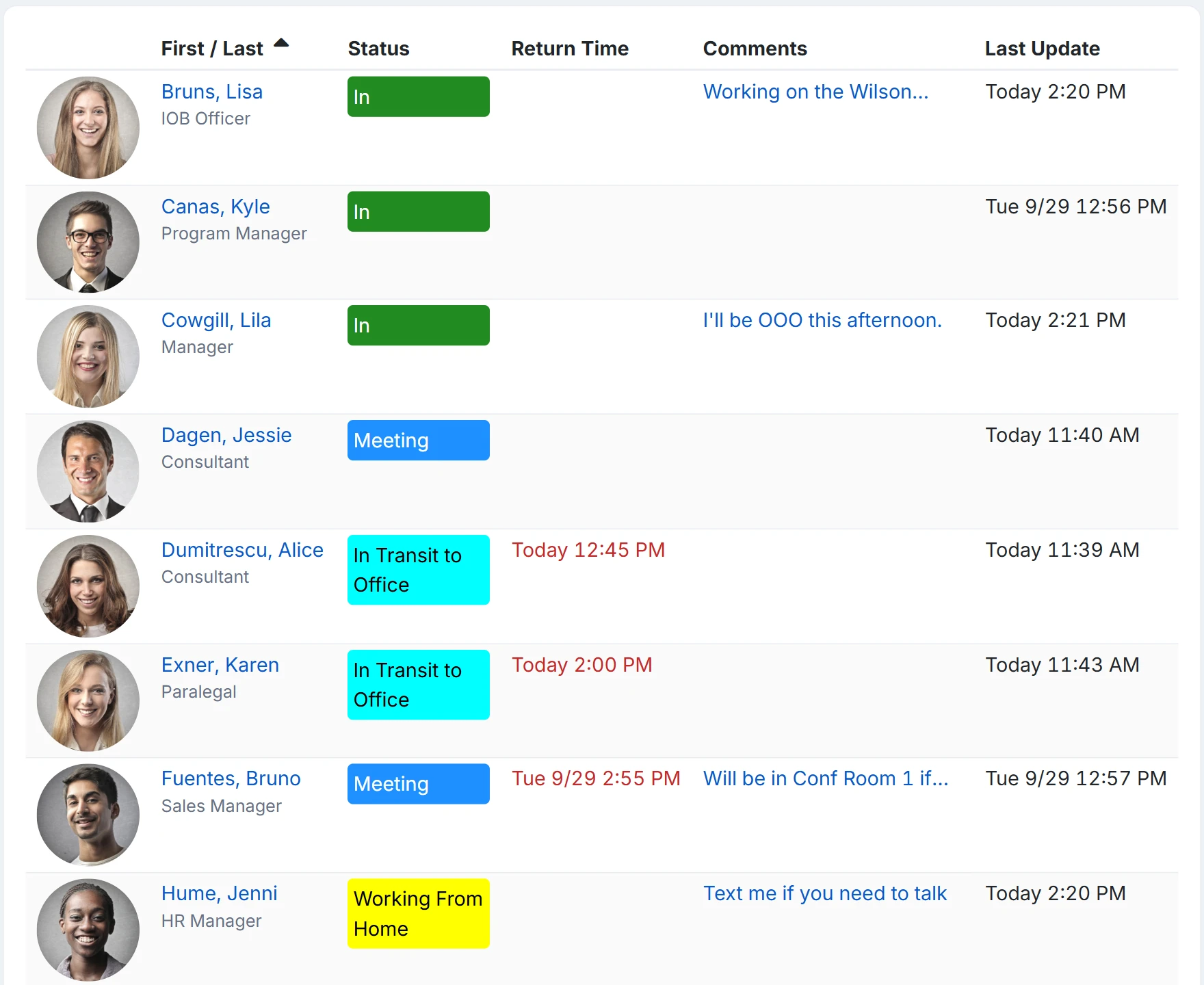
InOutBoard is an online in/out status board where every consultant sets their own status and return time, so coordinators and reception can see who is with a client and who is free. Consultants at client sites, partners on the road, analysts at home—one board shows who's where and when they're back.

One board for a distributed firm
-
Every engagement, one view
Client site, home office, headquarters—everyone's status and contact info in one shared view, wherever the work happens.
-
Answer “are they in?” instantly
Coordinators and reception see who's with a client and when they're free—without interrupting anyone's meeting.
-
Contractors and associates included
Everyone on the engagement updates their own status—employees, contractors, and subcontractors alike.
-
Schedule around reality
Client visits and travel go on each consultant's own calendar weeks ahead, and their status flips on the day—so engagements get staffed around who's actually free.
Staffed around real availability, not assumptions
The schedule and the status board stop being two different answers.
How a firm staffs an engagement
- An Administrator adds status codes that match the practice: Client site, Billable, Proposal work, Travel, PTO.
- Consultants put client visits, travel, and time off on My Calendar weeks ahead. Their status flips when the event starts and flips back when it ends—nobody has to remember on the day.
- Practice meetings and firm holidays go on a shared calendar, so they land on everyone's view at once.
- A coordinator filters the status board by practice or location to see who is with a client and who is free—without interrupting a meeting to ask.
- For a time-and-status record that backs up a timesheet, My Time Card and Time History reports break the period down by person and date range, exported to CSV.
Do contractors and associates need a license?
Yes. Everyone who appears on the status board is a user with their own sign-in, and each active user takes one license whatever their role; there is no separate contractor type. Someone between engagements can be set to Inactive and stops counting until you reactivate them.
Can reception see the status board without changing anything?
Yes. The Employee role sees the whole board and can filter it, but can only change their own status, unless an Administrator turns on Allow this user to change the status of other users for them. A Guest cannot see the status board at all: Guests get the dashboard, their own status, the messages sent to them (they cannot send any), and Help, which suits someone who only needs to be reachable.
Is this a timesheet or billing system?
No. InOutBoard records the status each person set and for how long, and the Time History and My Time Card reports total that by person and date range. It does not know about projects, rates, or invoices; export to CSV and let your billing system do that part.
Is client information safe on it?
The status board holds names, statuses, return times, and comments, and every user in your account can read every comment, so keep client names and matter details out of them. Data is hosted in Microsoft Azure data centers in the United States and encrypted in transit and at rest; the security page lists the controls and answers the usual questionnaire items.
Where to go next
The pieces this page describes, in detail.
Whatever your practice
Management consultants, HR and staffing firms, research and advisory practices—if your people split time between clients and the office, InOutBoard keeps the whole firm on one page.


Join the thousands of teams who rely on InOutBoard
This has been such a huge upgrade from our previous process. The Status Board is up all the time, giving us real-time status updates from our employees. Easy to use too.
 Elizabeth C.
City of Santa Cruz
Elizabeth C.
City of Santa Cruz
Know who's in and out.
Instantly
Try every feature free for 30 days. No credit card required.