
The status board for Retail, Food & Consumer Goods
InOutBoard is an online in/out status board where each team member sets their own status and return time, so a manager can see coverage at every store, stand, and kitchen from one filtered view. Front of house, back of house, and every location in between. One shared board shows who's on shift, who's on break, and who's out on a run.

Built for teams on their feet
-
Every location on one board
Managers see who's working at which store, stand, or kitchen—without calling each one to ask.
-
Shift coverage at a glance
On the floor, on break, or gone for the day—statuses and return times show whether the front is covered before it isn't.
-
Deliveries and supply runs, visible
When someone heads out for a delivery or a restock run, the status board shows where they went and when they're due back.
-
Reach the floor without shouting
Send a message to one person or a whole team—shift changes, rush warnings, and closing notes land on their phones.
Coverage at every site, without a phone call
One filtered view shows coverage at every store at once.
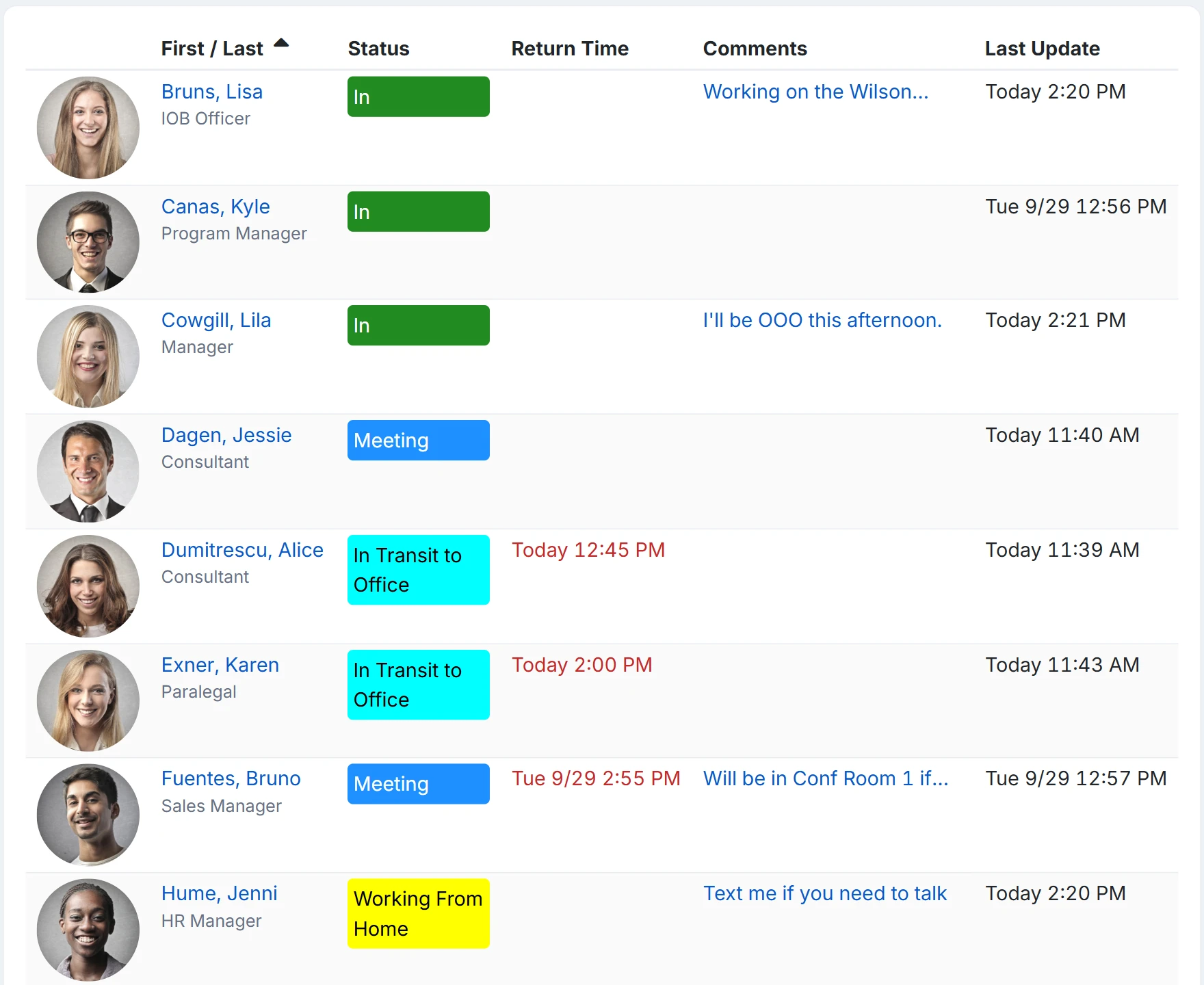
How a manager checks the floor
- Every store, stand, and kitchen becomes a location; floor, stockroom, and kitchen become departments.
- An Administrator adds status codes for the day: On the floor, Break, Stockroom, Delivery run, Gone for the day. An Offset By of 30 minutes on Break means a break sets its own return, 30 minutes from now.
- Staff update from a shared terminal by the office door or their own phone—a few clicks, no forms.
- A manager opens the status board filtered by location in List view and reads coverage across every site at once. Anyone overdue back from a delivery run shows in red.
- Shift changes and rush warnings go out as a message to one person or a whole team, landing on their dashboards rather than in a group text nobody reads.
What does a store manager see?
The whole company's board, filtered however they like: Managers, like Employees, can see every location and department. What the Manager role limits is action, not view: a Manager can change the status of users at their own location and run reports for that location, while an Administrator can do both for everyone.
Can staff check in on a shared computer?
Yes, with each person signing in with their own username and password and signing out afterward; there is no kiosk or badge mode. Most teams find a personal phone quicker: the status board opens in any phone browser with no app store download.
Does it track where people are?
No. The status board shows the status each person set, and the return time on a delivery run turns red if they are not back by it. There is no GPS.
Where to go next
The pieces this page describes, in detail.
From open to close
High turnover, part-timers, seasonal hires—InOutBoard works from any phone browser, so new staff are on the status board their first shift with no app store download.


Join the thousands of teams who rely on InOutBoard
This has been such a huge upgrade from our previous process. The Status Board is up all the time, giving us real-time status updates from our employees. Easy to use too.
 Elizabeth C.
City of Santa Cruz
Elizabeth C.
City of Santa Cruz
Know who's in and out.
Instantly
Try every feature free for 30 days. No credit card required.