
The status board for Environmental & Natural Resources
InOutBoard is an online in/out status board where each technician sets their own status and return time before heading out, so the office can see who is at which site and get an alert when a solo run misses its check-in. Field sites, sampling runs, long drives between them. One board shows who's at which site—and raises a flag when someone working alone misses a check-in.
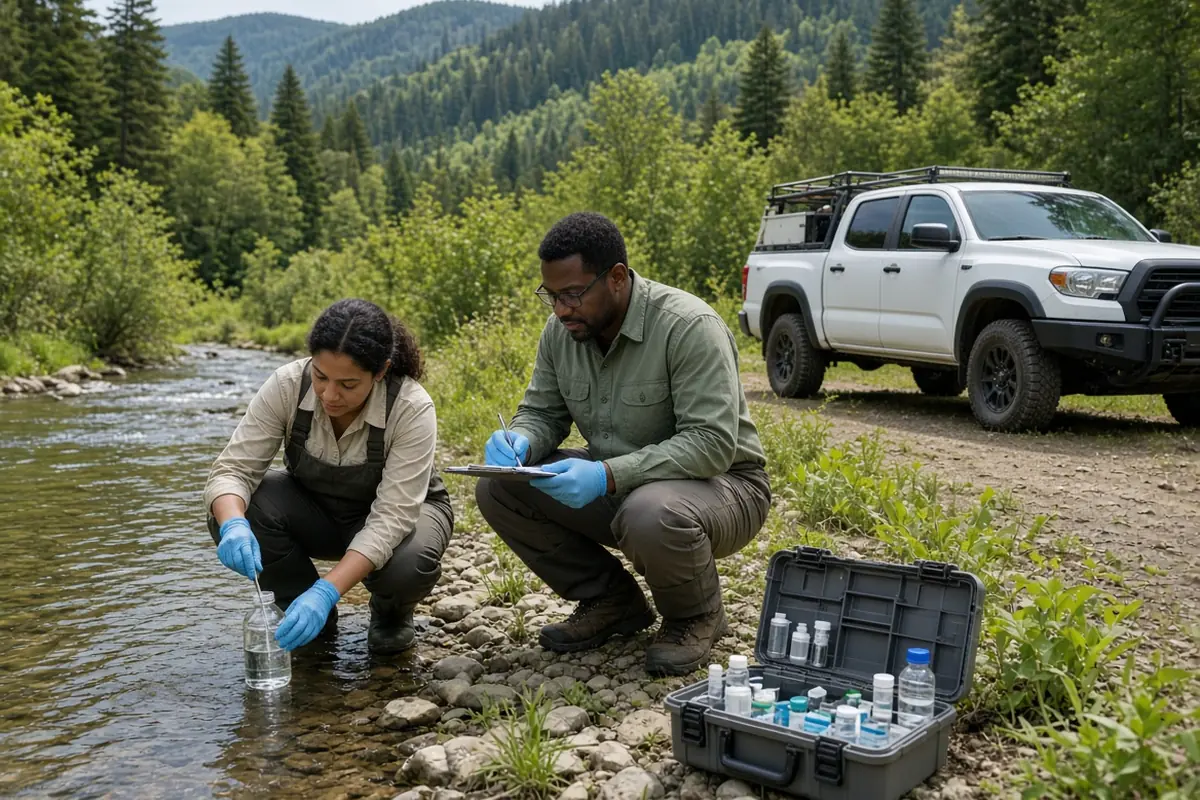
Built for work in the field
-
Every site and crew, one board
Monitoring stations, restoration sites, survey plots—crews set their status from their phones, naming the site in the comment, so the office always knows who's where.
-
Check-ins for lone workers
Solo work in remote terrain carries risk. A sampling run carries a return time, and if it lapses the supervisor gets an email or text—even when the technician is out of signal. No manual call tree.
-
Trucks, boats, and gear reserved
Field vehicles, sampling kits, and survey instruments get booked in Resources—so the morning doesn't start with a hunt for equipment.
-
Field time on the record
Each status comment names the plot, so the Time History Report shows who was at which site and when. Each booking names the kit, so an instrument's schedule shows who had it and when—for timesheets, project billing, and safety reviews.
A field day that checks itself
Remote terrain, no signal for hours—and the alert still goes out, because it runs on the return time, not the phone.
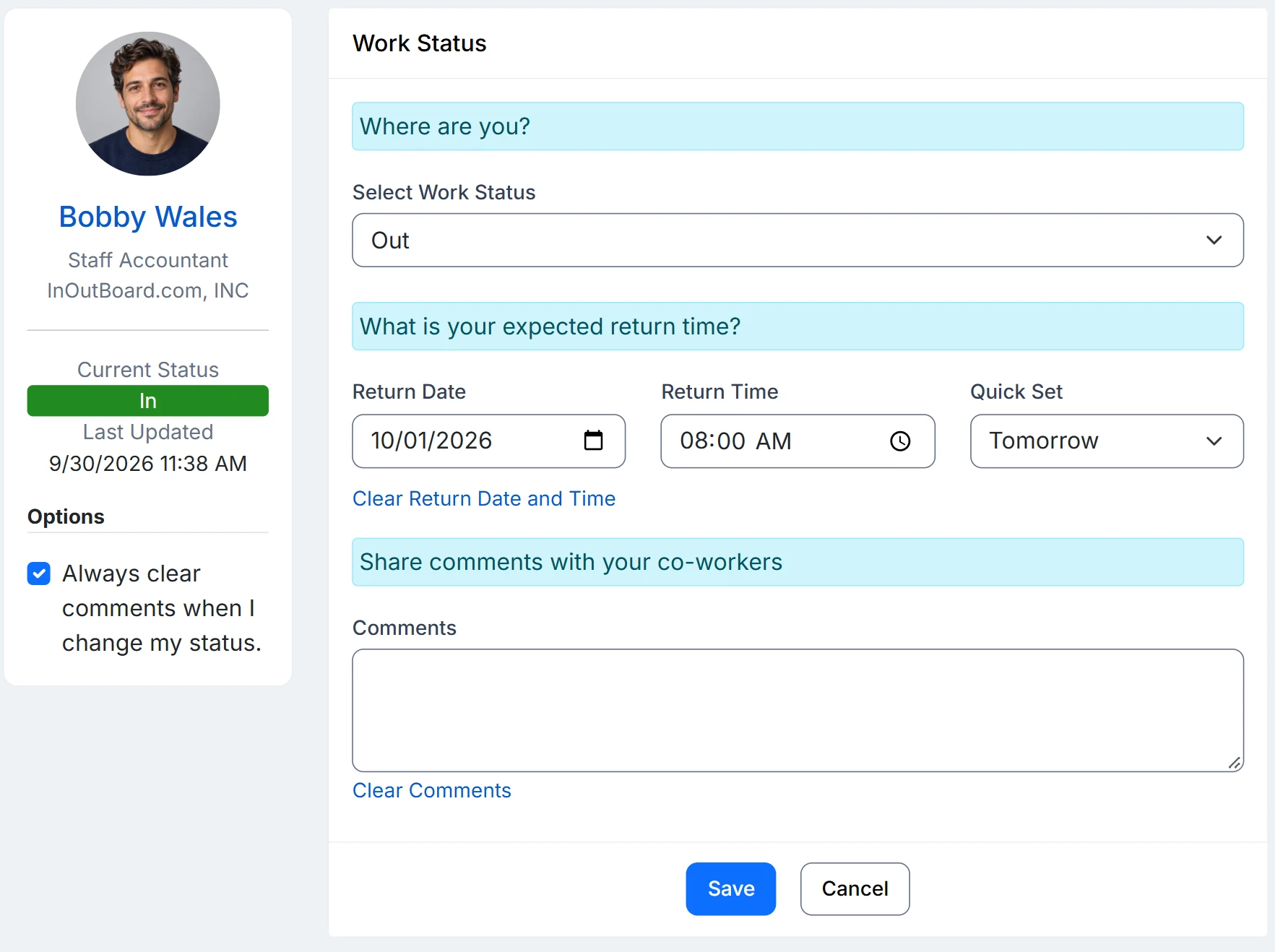
How a solo survey stays covered
- A person's location is their home office, so the monitoring station, restoration site, or survey plot they're at goes in the status comment, where everyone reading the status board sees it.
- An Administrator adds a Field survey code with Offset By set to the length of a typical run. They also set Return Time Required to Yes. The supervisors named on each technician’s profile are the ones alerted.
- The technician selects it from their phone at the trailhead, with a comment naming the plot, the vehicle, and a callback number.
- If the work runs long they push the return time out at the next bar of signal and the clock resets. If it lapses, it goes red on the status board for everyone to see, and the supervisor is notified after your configured alert interval.
- Afterwards, the Time History Report shows who was at which site and when, and each instrument's schedule shows who had it—which is what timesheets, project billing, and safety reviews all ask for.
Overdue alerts need a few things in place: alerts enabled, a status code that requires a return time, a manager assigned on each user’s profile, and recipients opted in to email, or to text with a verified mobile number.
How does the alert work if the technician is out of signal?
The alert runs on the return time recorded before they left, so it goes out whether or not the phone can connect. What the technician cannot do without signal is push the return time out, so set Offset By to a realistic run length and treat the occasional alert as a long day rather than a fault.
Can we see which kit went to which site?
Yes, if bookings name the kit and status comments name the site. Reservations in Resources record who has each vehicle or instrument and when it is due back, and each one's schedule keeps that record. The Time History Report exports the site side to CSV, and the Resource Status Report exports where every piece of kit is right now. A booking that overlaps one already on the schedule is not allowed, so two crews cannot hold the same instrument for the same window.
Does it track where people are?
No. There is no GPS or location tracking. The status board shows the status and comment each person recorded; the plot or station goes in the comment.
Where to go next
The pieces this page describes, in detail.
From the office to the back country
Consultancies, conservation districts, parks, labs with field crews—InOutBoard works from any phone browser, so the status board is current wherever the work is.


Join the thousands of teams who rely on InOutBoard
InOutBoard works great and very easy to use…from a safety standpoint, it's great to know quickly who's in the building and who isn't.
 Brenda S.
SIRWA
Brenda S.
SIRWA
Know who's in and out.
Instantly
Try every feature free for 30 days. No credit card required.