
The status board for Energy & Utilities
InOutBoard is an online in/out status board where each crew member sets their own status and return time from a phone, so dispatch and supervisors can see who is at the plant, who is in the field, and who is overdue. Crews in the field, on one board. See who's at the plant, on a line, or at a substation—and get alerted when a lone worker misses a check-in, on the interval you set.
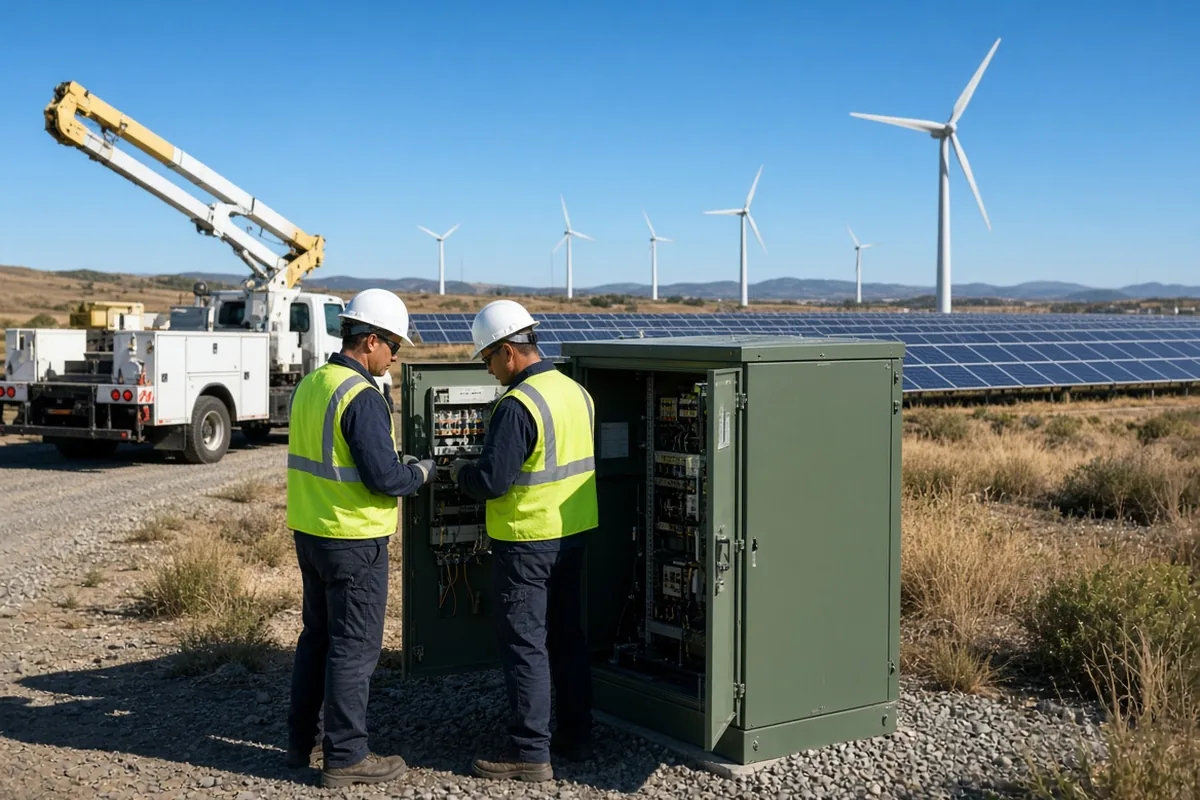
Built for work beyond the office
-
Know where crews are working
Line crews, technicians, and inspectors set their status, with the site in the comment, so the office always has the full picture.
-
Lone-worker check-ins
Expected return times flag in red when missed, and notify supervisors anywhere from 15 minutes to 3 hours after the return time, as you choose—critical for remote and hazardous work.
-
Account for everyone in an incident
When something goes wrong, pull an Emergency Status Report of everyone's last recorded status and how to reach them—the place a roll call starts.
-
Track shared vehicles and equipment
Reserve bucket trucks, testers, and gear—and see who has what before rolling out.
A lone worker is never just assumed fine
The check-in happens whether or not anyone remembers to ask.
How a solo call stays covered
- An Administrator opens Settings, then User Status Codes, and adds a Lone work code with Offset By set to two hours, so choosing it always sets a return time.
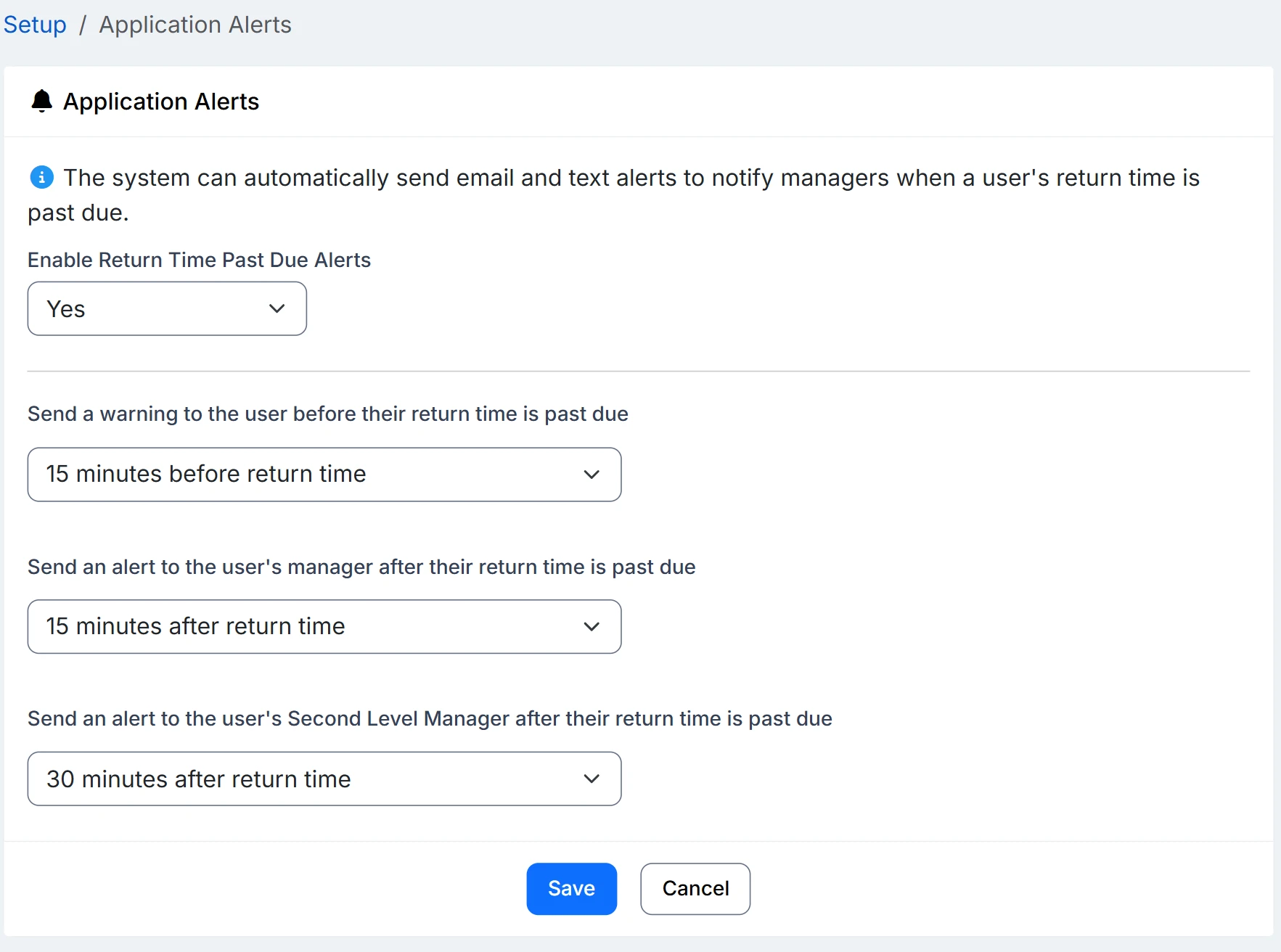
- An Administrator enables overdue alerts and sets the interval under Application Alerts. The supervisors named on each technician’s profile are the ones alerted, and each chooses email, text, or both.
- The technician selects Lone work from their phone at the gate, with a comment naming the substation or pole number and a callback number.
- If the job runs long, they push the return time out and the clock resets. If it passes with no update, it goes red on the status board for everyone to see, and the supervisor is notified after your configured alert interval.
- If an incident escalates, the Emergency Status Report lists everyone assigned to the affected service area—set each one up as a location—with their current status and emergency contact.
Overdue alerts need a few things in place: alerts enabled, a status code that requires a return time, a manager assigned on each user’s profile, and recipients opted in to email, or to text with a verified mobile number.
Is this a lone worker monitoring device?
No. There is no GPS, no man-down sensor, and no hardware. A technician picks a status with a return time; if it passes without an update, the return time goes red on the status board and the Manager and Second Level Manager on their profile are emailed or texted after the interval you set, anywhere from 15 minutes to 3 hours. It is a check-in, not a tracker.
What if the crew has no signal when the return time passes?
The alert still goes out, because it is based on the return time recorded before they left, not on anything the phone sends. What they cannot do without signal is extend the return time, so set Offset By to a realistic run length and expect the occasional alert that turns out to be a long job.
Can we account for a whole service area in an incident?
You can list everyone whose home location is that service area, with each person's last recorded status and emergency contact, on the Emergency Status Report. It is the status each person entered, not a verified headcount; emergency roll call covers what it can and cannot tell you.
Where to go next
The pieces this page describes, in detail.
A service territory is a big place
When your people spend their days at substations, plants, and job sites spread across a service territory, InOutBoard keeps the whole operation visible from one board.


Join the thousands of teams who rely on InOutBoard
I'm happy to say that I have had this job for 3 years and have never had to place a call into support…it's that easy to use.
 Paige M.
Dawson Power
Paige M.
Dawson Power
Know who's in and out.
Instantly
Try every feature free for 30 days. No credit card required.