
The status board for Government & Public Administration
InOutBoard is an online in/out status board where each employee sets their own status and return time, so a department can see who is at a desk, who is in the field, and what each person last recorded when an alarm sounds. Know who has checked in at the building. Know who is out in the field. Start an emergency roll call from one screen, keep the records your agency has to keep, and see the status each person last recorded.

Employee security and visibility, enhanced
-
Account for everyone in an emergency
In an evacuation or incident, pull an Emergency Status Report of everyone's last recorded status and how to reach them—the roll call starts on a screen rather than a clipboard. Emergency roll call covers how to set it up.
-
Records you can export
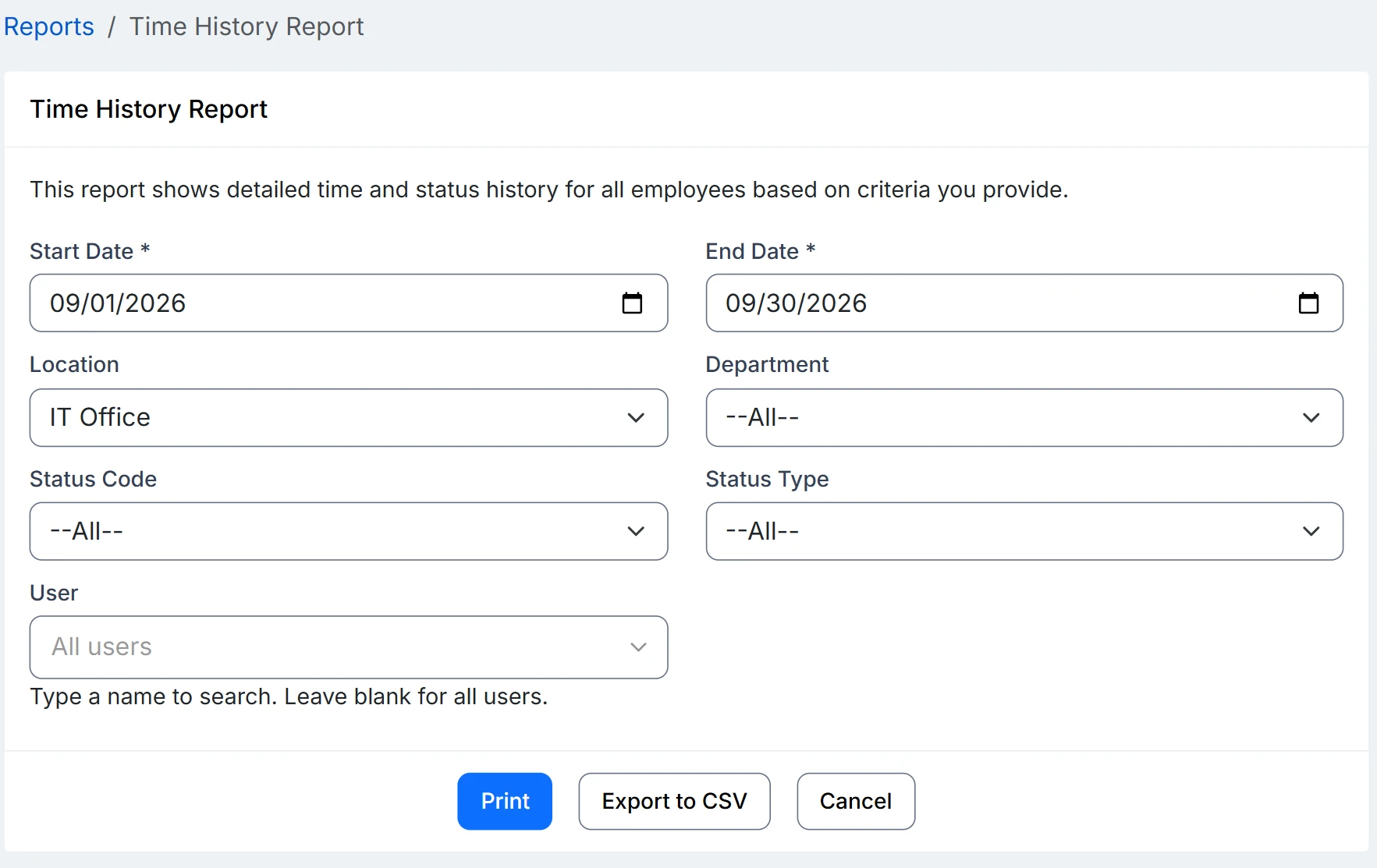
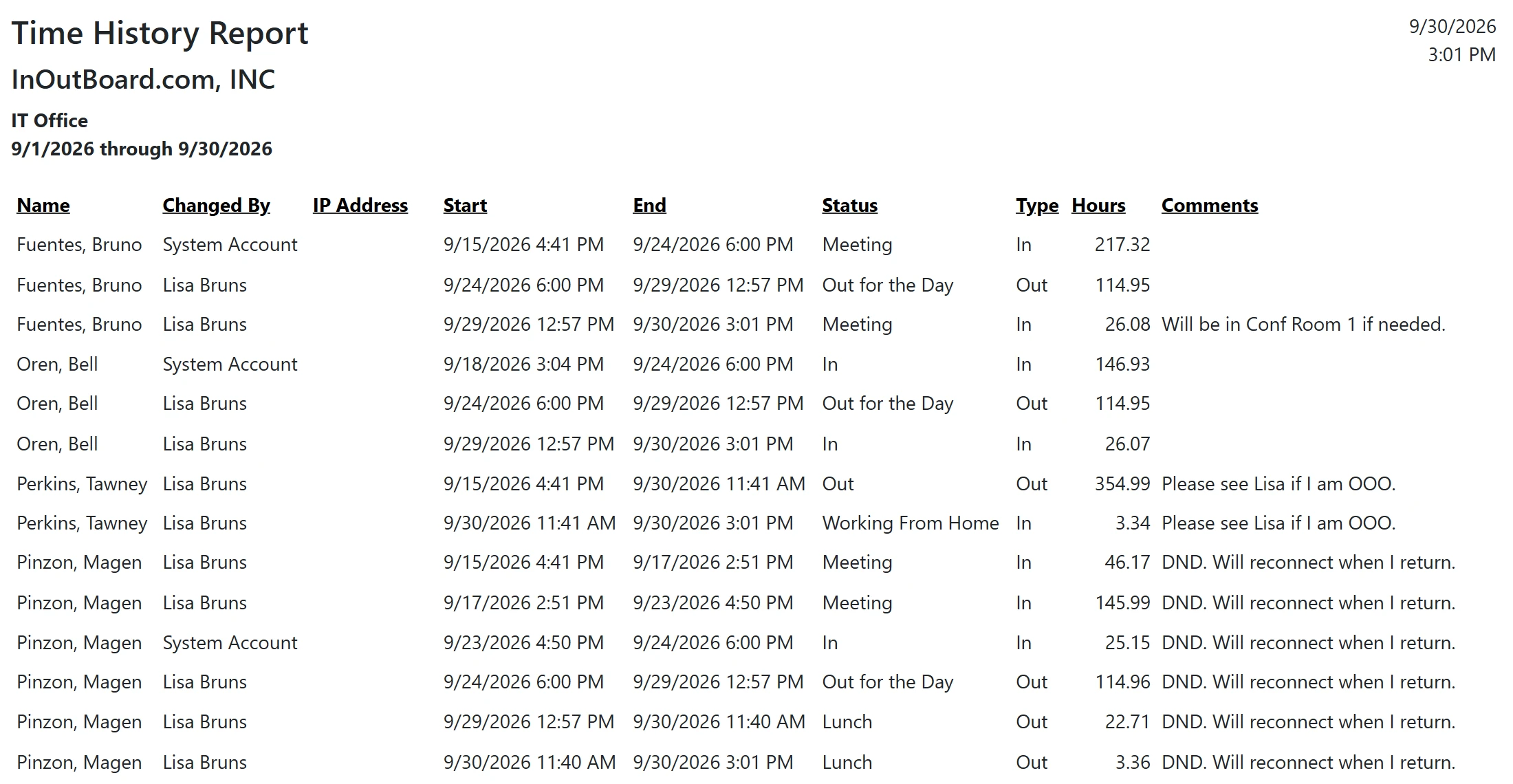
Accurate work-status and time history, with reports you can generate for audits, oversight, and public accountability. Export to CSV on your own retention schedule—InOutBoard keeps the history, and Administrators can correct entries in it, so your records system is where the version of record should live.
-
Stay connected to field staff
Inspectors, crews, and caseworkers set their own status and expected return time. Overdue returns flag automatically.
-
Track vehicles and conference rooms
Book and monitor shared resources across departments, so everyone knows what's available.
A roll call that starts on one screen
Set it up once, and every drill and real incident after that runs the same way.
How an agency accounts for everyone
- An Administrator opens Settings, then User Status Codes, and adds the statuses the agency actually uses—Site visit, In the field, Court, Training. Give the field codes an Offset By time so an expected return fills in on its own, and set Return Time Required to Yes on those field codes.
- Staff set their status from a desk or a phone on the way out, with a comment for the site address or a contact number.
- A missed return time turns red on the status board for everyone to see, and the right managers get an email or text after your configured alert interval.
- When something happens, run the Emergency Status Report, filtered to the affected location or department. It lists every person, their current status, when it was last updated, and the emergency contact from their profile.
- Export it to CSV so the roll call goes straight into the after-action record.
Overdue alerts need a few things in place: alerts enabled, a status code that requires a return time, a manager assigned on each user’s profile, and recipients opted in to email, or to text with a verified mobile number.
Does it tell us who is physically in the building?
No. It records the status each person last set; there is no badge reader, no turnstile, and no GPS. The Emergency Status Report lists who was expected in and who to call about each of them, which is where a roll call starts rather than a headcount. Emergency roll call covers the difference.
Can we keep records for the retention period our agency requires?
InOutBoard keeps status history for three years, as stated on the security page, and the Time History Report exports any date range within those three years to CSV. Export on your own retention schedule and treat your records system as the system of record.
Does it meet our accessibility requirements?
The accessibility statement lists what was evaluated against Section 508 and WCAG 2.0, what works, and the known barriers, and explains how to request the Accessibility Conformance Report (VPAT).
Where to go next
The pieces this page describes, in detail.
From city hall to the county line
From city halls to county offices to state departments—if your people split their day between a desk, a site visit, or out in the field, InOutBoard keeps the whole agency on the same page.


Join the thousands of teams who rely on InOutBoard
This has been such a huge upgrade from our previous process. The Status Board is up all the time, giving us real-time status updates from our employees. Easy to use too.
 Elizabeth C.
City of Santa Cruz
Elizabeth C.
City of Santa Cruz
Know who's in and out.
Instantly
Try every feature free for 30 days. No credit card required.