
The status board for Technology & IT Services
InOutBoard is an online in/out status board where each tech and engineer sets their own status and return time, so the help desk can see who is on site, who is on call, and who is remote without pinging anyone. On site, on call, or remote. One shared board shows where every tech and engineer is—so nobody plays phone tag to find out who can take the ticket.

One board for a team that's everywhere at once
-
Remote, on-site, on-call—one view
Every tech's status, location, and contact info in one shared view, updated from their own phones between stops, or from home on the days they work remotely.
-
Give the help desk a straight answer
“Where's my tech?” gets answered from the status board—who's at which client, and when they're free—without pinging anyone mid-job.
-
On-call coverage, visible
Shared calendars show who's covering nights and weekends—so escalations go to the person actually on call, the first time.
-
Loaner gear and lab kit, tracked
Spare laptops, test rigs, and demo hardware get reserved in Resources—so equipment comes back instead of disappearing into a backpack.
Know who's actually on call
Remote, on a client site, or on call—the answer is on one screen.
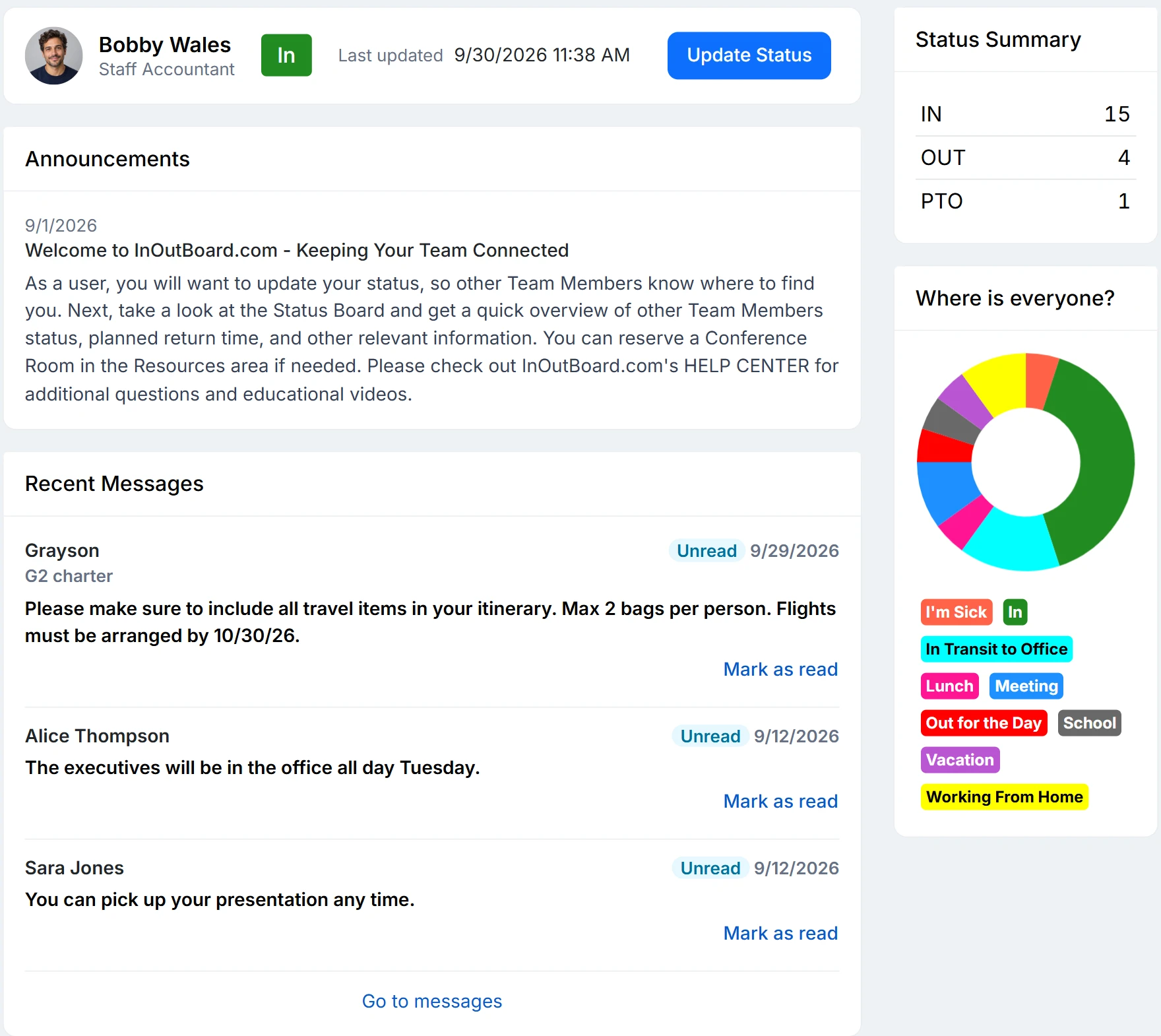
How on-call coverage stays visible
- An Administrator adds status codes that describe how the team really works: Remote, At a client, On call, Lab, Deploy window.
- The on-call rotation goes on a shared calendar as a recurring event, so everyone can see who has the on-call shift this week. Each engineer puts their own shift on My Calendar as well, and their status flips when their shift starts, so an escalation reaches whoever is on call this week rather than whoever was on last week.
- Spare laptops, test rigs, and demo hardware live in Resources. Each reservation names the holder and the due-back date, so kit comes back instead of vanishing into a backpack.
- The help desk reads the Where Is Everyone? chart on the dashboard and clicks a segment to see exactly who is remote, on site, or out—then clicks a name for their number.
- For client time and internal reporting, Time History reports filter by date range, department, and person, exported to CSV.
What does it take to deploy?
Nothing on the endpoint. InOutBoard runs in any modern browser at app.inoutboard.com; there is no agent, no app store app, and no update to push. Installing it as a web app with its own icon is optional. Sign-in is by username and password; single sign-on and multi-factor authentication are not available yet and are on the roadmap.
Where does the data live and how is it protected?
In Microsoft Azure data centers in the United States, encrypted in transit (HTTPS) and at rest (AES-256), with passwords stored hashed and never recoverable. The security page lists sub-processors, retention and deletion, PCI DSS validation, and answers the usual questionnaire items.
Does it integrate with our ticketing or calendar system?
No. InOutBoard does not sync with Outlook, Google Calendar, Teams, or Slack, and there is no integration with ticketing systems. Events go on its own calendar, and any text it sends is a one-way notification.
Where to go next
The pieces this page describes, in detail.
For internal IT and MSPs alike
Whether you support one company or fifty clients, InOutBoard runs in any browser with nothing to deploy—one less agent to install, patch, and babysit.


Join the thousands of teams who rely on InOutBoard
InOutBoard works great and very easy to use…from a safety standpoint, it's great to know quickly who's in the building and who isn't.
 Brenda S.
SIRWA
Brenda S.
SIRWA
Know who's in and out.
Instantly
Try every feature free for 30 days. No credit card required.