
Every in and out board feature, on every plan
Ten features, all included at every license size. Choose one below to see how it works.
- Status Board Check employee availability, return times, and contact details.
- Resources Reserve rooms, vehicles, and equipment.
- Calendar Plan ahead and let My Calendar events update your status automatically.
- Messages Send messages to one person or a whole team.
- Reports Generate time, attendance, and status history reports.
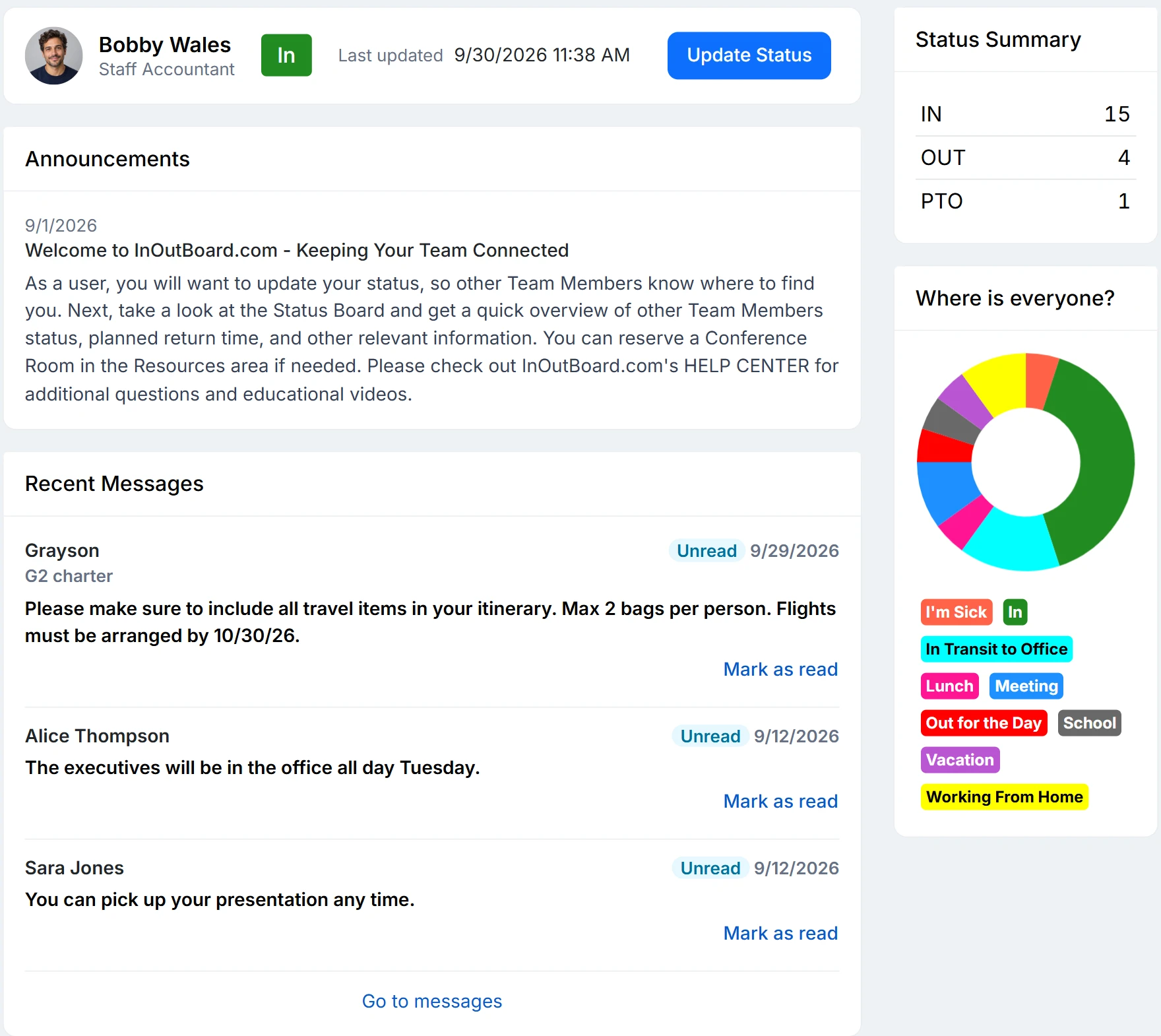
- Dashboard See your status and team updates in one place.
- Alerts Notify designated managers when someone misses a check-in.
- Mobile Check and update statuses from your phone.
- Set Up Add users and configure your organization's board.
- Automation Let Scout handle alerts, status changes, and end-of-day resets.
How the features work together
InOutBoard is employee in/out status board software: the Status Board and Dashboard show who's in and who's out at a glance, and Calendar events can update a status automatically. Automation keeps the status board current on its own: Scout, InOutBoard's always-on agent, notices when someone hasn't come back and resets the status board at the end of the day.
Messages and Alerts keep people in the loop, Resources handles bookings for rooms and equipment, and Reports covers status history and attendance. Mobile access and Set Up round out getting a team started.
Every feature is included on every plan—see pricing. Use InOutBoard in a web browser on your computer, tablet, or phone—no app store download required.
What it looks like on a normal day
An in/out board is a small habit that pays off all day. Four steps, and only the first one asks anything of anybody.
People set their own status. Arriving, leaving for a site visit, heading to lunch—each person picks a status code your administrator set up in your own words, and adds a return time if it is not already built into the code. It takes a couple of seconds, from a desk or a phone.
The status board answers the question. Anyone who needs to know who is in, who is out, and when they are back reads the status board or the dashboard instead of asking around. Filter it by department or location, click a name for their number.
Some of it happens without anyone. Events on a person's own My Calendar flip their status when they begin and end, so a booked afternoon off-site shows up on the status board on its own. If someone does not come back when they said they would, alerts tell a manager rather than waiting for somebody to notice.
It adds up to a record. Every status change is recorded, so reports can produce attendance, time history, and an emergency roll call from the same data nobody had to enter twice.
New to the idea? What an in/out board is covers where the concept came from and what it replaces. Industries shows how the same four steps get set up differently on a hospital floor and a construction site. Comparing options? How to choose an in/out board sets out what to weigh and how InOutBoard measures up.


Join the thousands of teams who rely on InOutBoard
I'm happy to say that I have had this job for 3 years and have never had to place a call into support…it's that easy to use.
 Paige M.
Dawson Power
Paige M.
Dawson Power
Know who's in and out.
Instantly
No credit card required.
Plans from $15/month for up to 10 users
Every feature included. View pricing